Budgtr is a personal finance app that takes the tedium out of budget and savings management. The app gives users a consolidated overview of their spending across different bank accounts, and provides tools to gain control over their financial activity. Users can plan and track their expenses as well as use smart templates and other gimmicks to manage savings goals.
Year
2021
Team Credit
Kayode Faniyi (UX Writing)
My initial thoughts
Being a young member of the labour force myself, I’m acutely aware of the problems of digital financial management. While apps dedicated to savings and investment have found some success in Nigeria, the successful budgeting app remains somewhat elusive.
My personal experience with budgeting is that it demands time and a level of immersion that only well-paid accountants can dedicate to something which is only suggestive in the final analysis. So I spend as the need arises and keep a notional budget in my head. I was curious as to what my research would unearth. How many more feel like me? And to what extent could I use design to solve a challenge like budgeting? Could I make something that could convert a budgeting agnostic like me?
My role
I had sole responsibility for designing the product. To do this, I sectioned my work into three broad iterative categories:
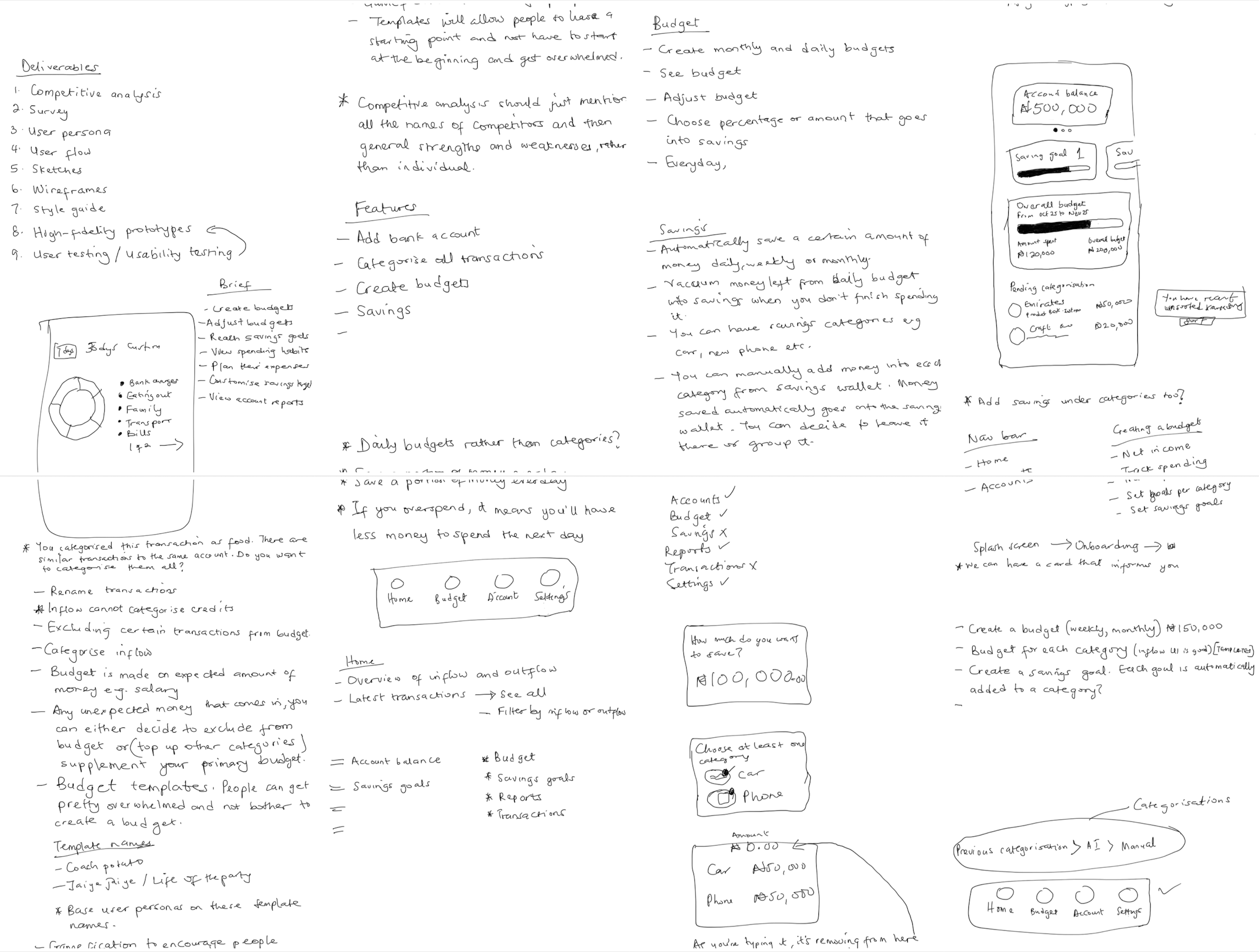
Research & discovery, to adequately understand product context and user needs. My activities here included: a. Conducting contextual & competitive analysis b. Administering and analyzing a survey c. Creating user personas
Design, to translate insights from research and discovery into intuitive experience and interfaces. My activities here included: a. Designing intuitive user flows b. Creating UI sketches c. Creating a design system (styles & components) d. Creating high-fidelity prototypes
First, I established a “robustness index” including the following criteria:
app is free
app can sync with
multiple bank accounts
app has AI-based automatic categorizations
app has adjustable expense planner
app has adjustable savings planner
app reports periodical activity
app is popular inside or outside Nigeria
I then used this “index” to conduct a high-level analysis of 7 budgeting apps after which I was left with selected 2 apps, Mint and Inflow Finance, for in-depth analysis.
Mint
STRENGTHS
Tracks your bills and reminds you of upcoming payments.
Compares your spending to other users e.g. tells you when you’re spending more in a category than other users.
WEAKNESSES
Difficult to navigate monthly budgets and see details about each category.
Does not have a way to compare past information for comparison.
No quick glimpse at budgets, just your spendings.
Does not recognise recurring subscriptions.
Inflow Finance
STRENGTHS
Tracks subscriptions and reminds you when payment is due.
Allows you to add custom categories.
WEAKNESSES
Not enough category icons.
Categorisation is manual, which can be tedious.
Survey
To understand attitudes towards budgeting and budgeting tools, I designed and administered a short survey to a select group of 14 respondents using Google Forms. All respondents were aged between 25 and 45, and employed.
While the respondents mostly agreed that budgeting is important, only 50% admitted budgeting their income, with a further 14.3% only budgeting sometimes. In an interesting turn of events, 70% of those who do some form of budgeting admitted to using their brain as their budgeting tool. “It’s stressful” was the major problem they had with budgeting.
For respondents who do not budget, the major reason adduced was that budgeting is time-consuming. Others either find it too difficult or hadn’t found a budgeting tool that they liked. But if anything would make them consider budgeting, it would first be an app that shows them their expenses and helps to sort them easily.
50%
of people surveyed admitted to budgeting their income.
70%
of those who do some form of budgeting admitted to using their brain as their budgeting tool
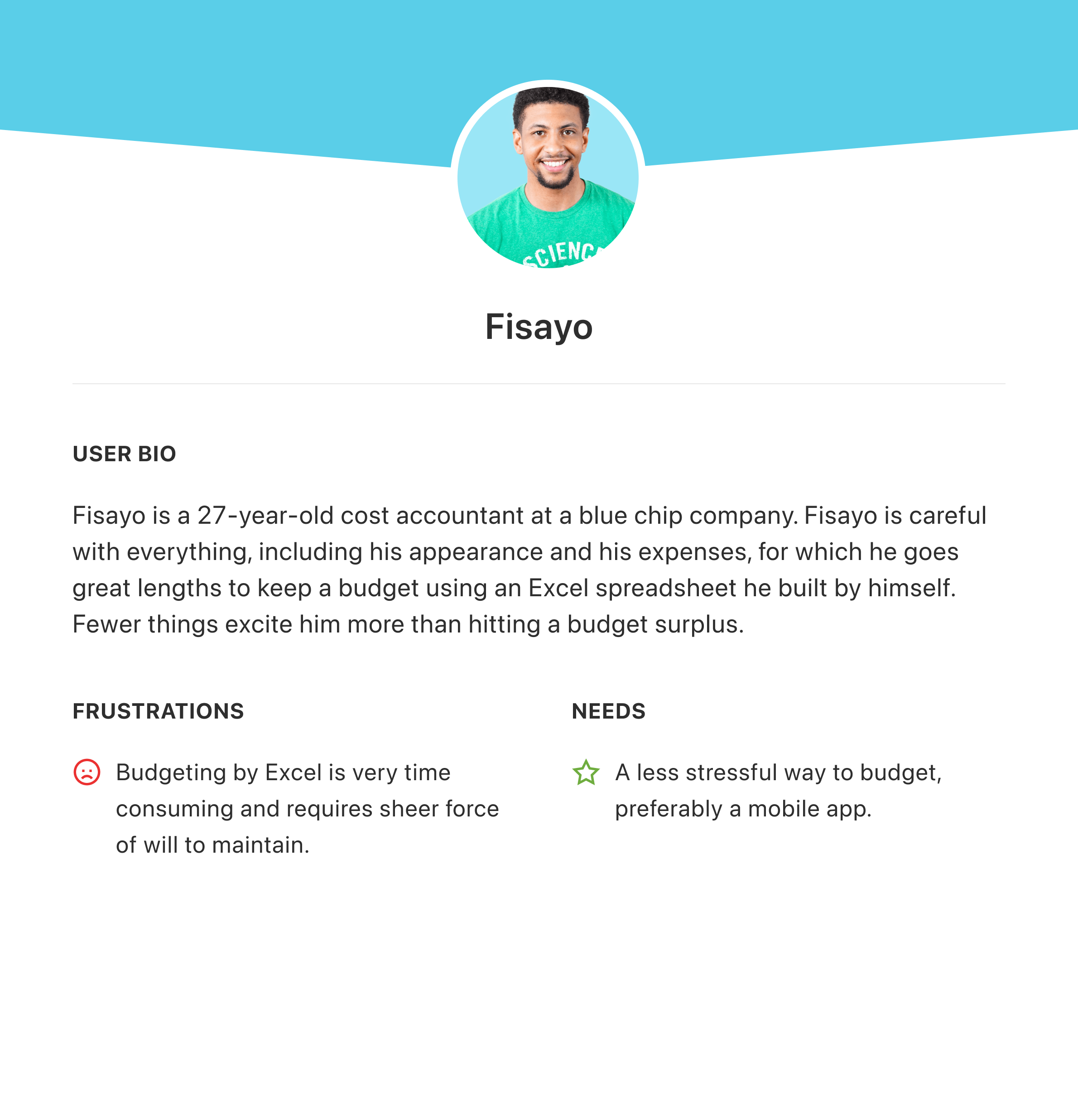
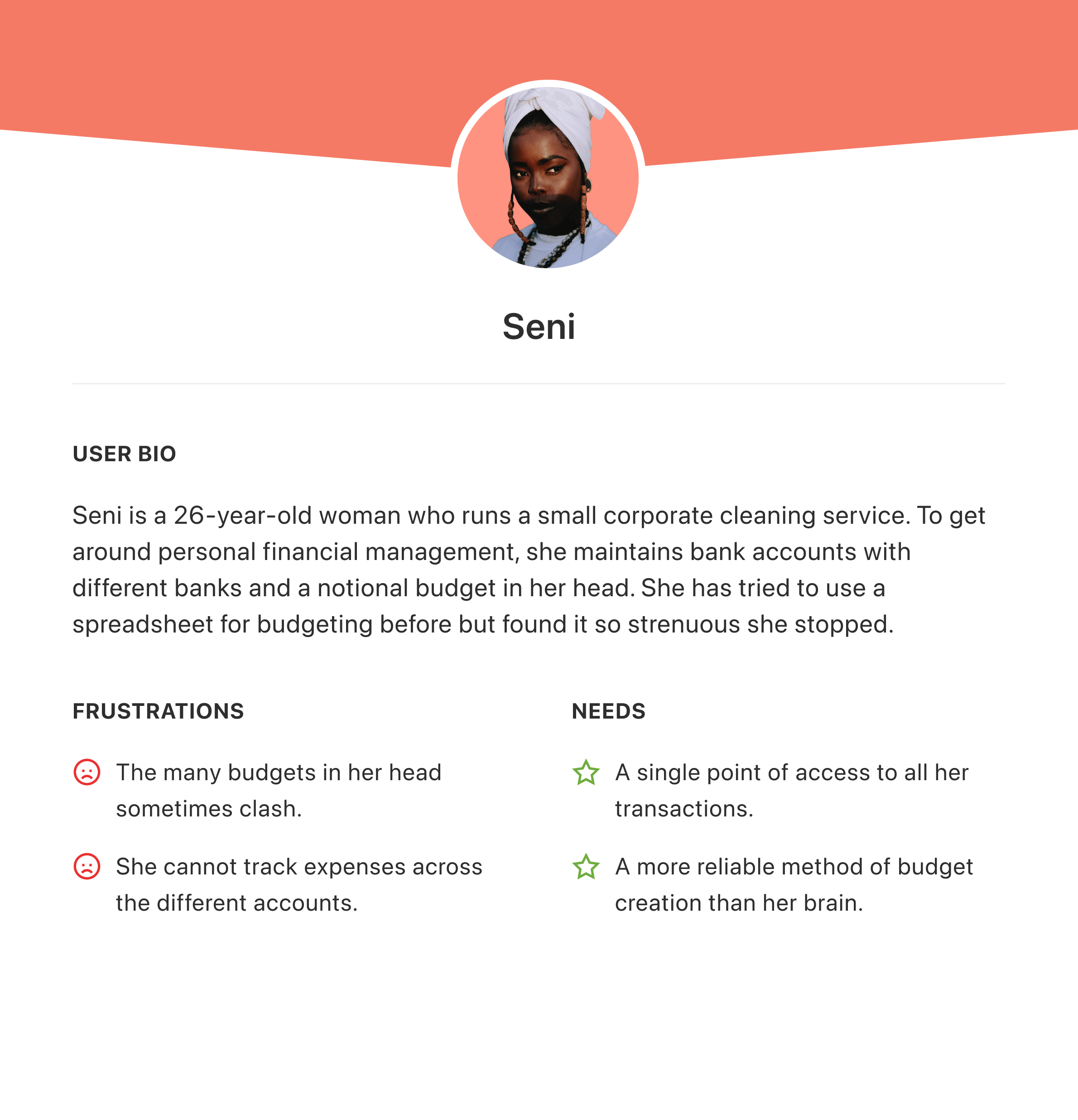
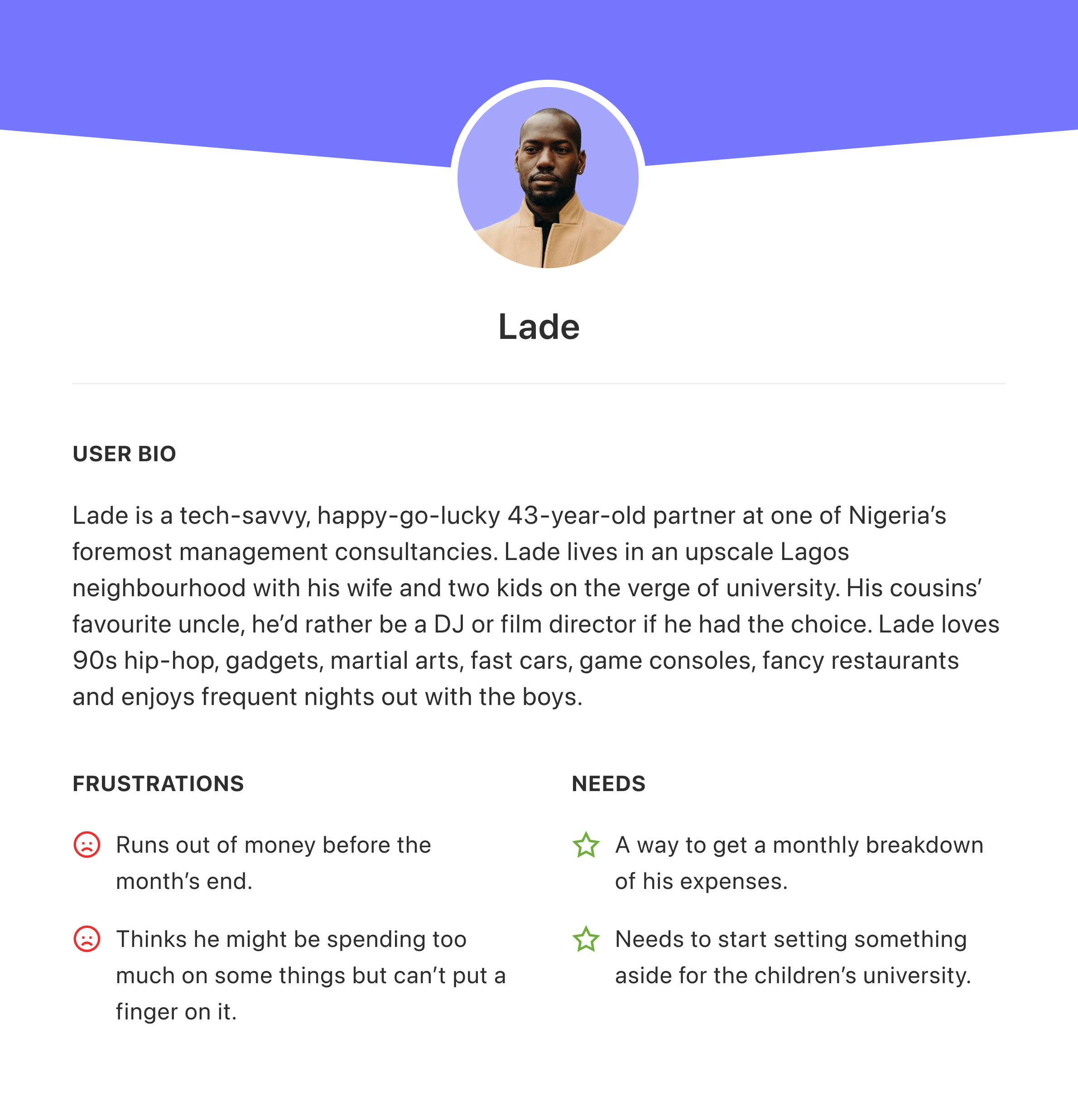
User personas
Features
I consolidated all my findings into the Budgit app. My design ethos was to create intuitive processes and clean screens that do not overwhelm the user. I expected to adopt an informal tone to blunt the edge of what most people consider to be serious and strenuous.
KEY FEATURES
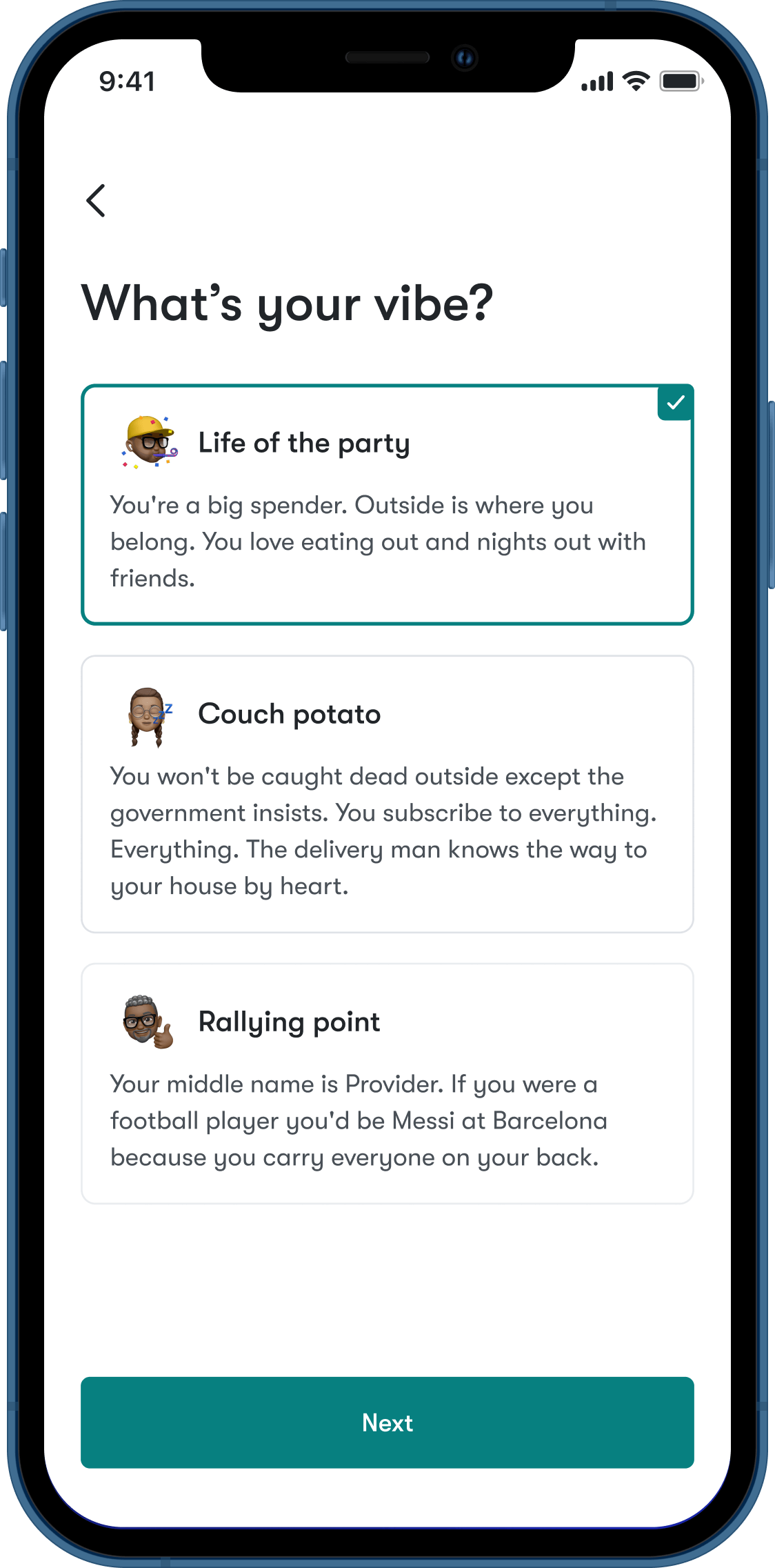
What’s your vibe? which helps users save time by creating personalized budget templates.
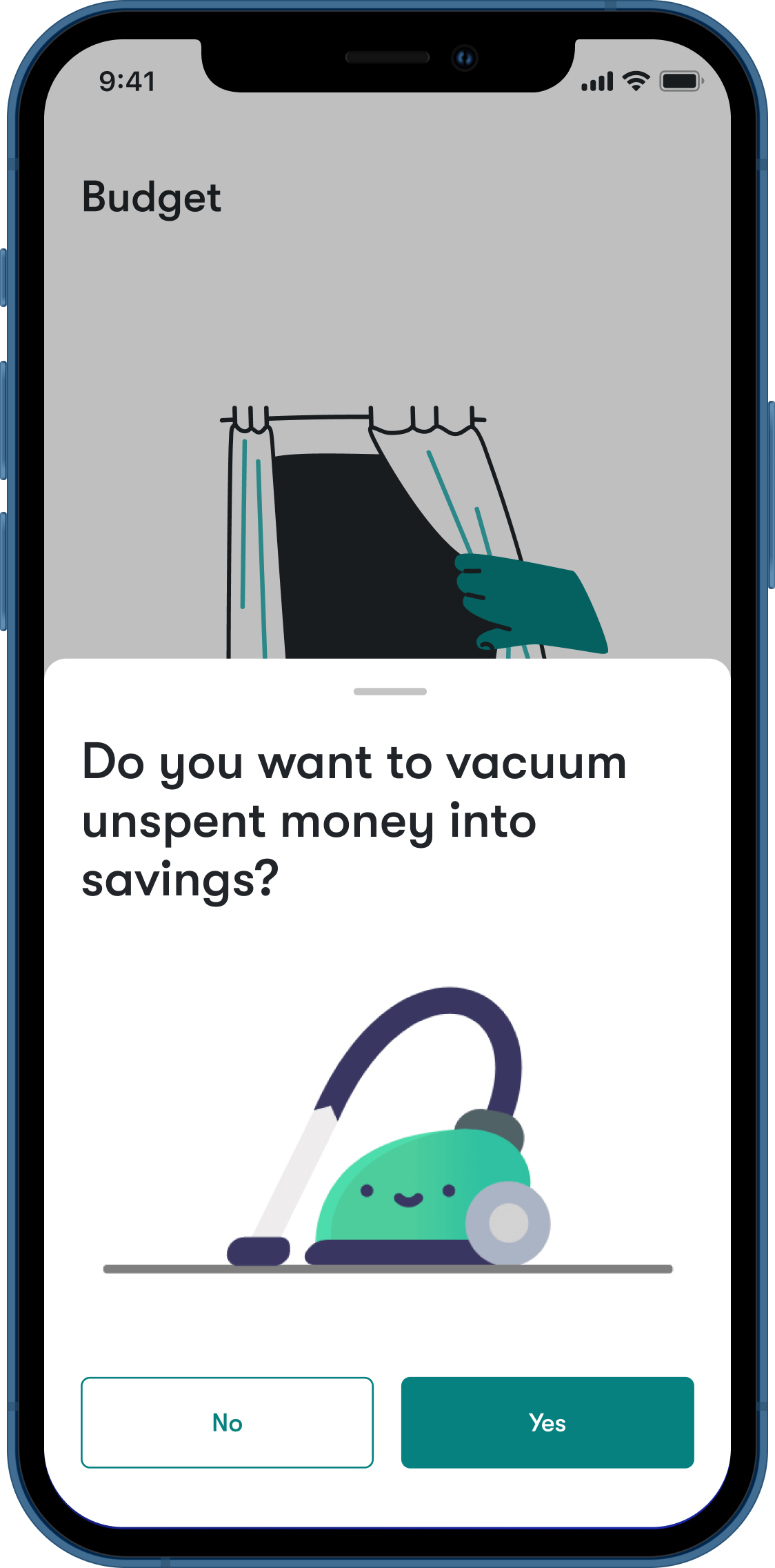
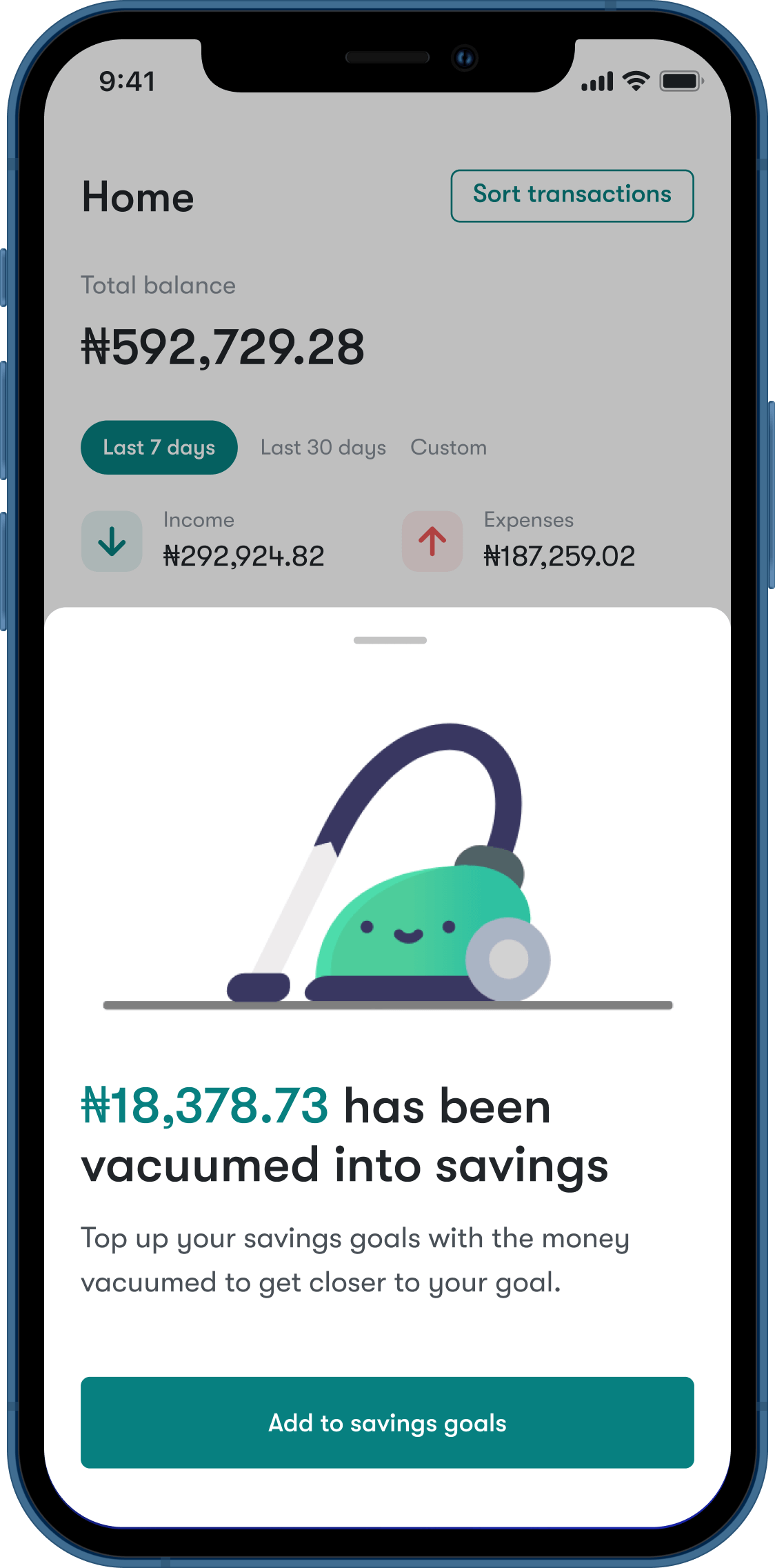
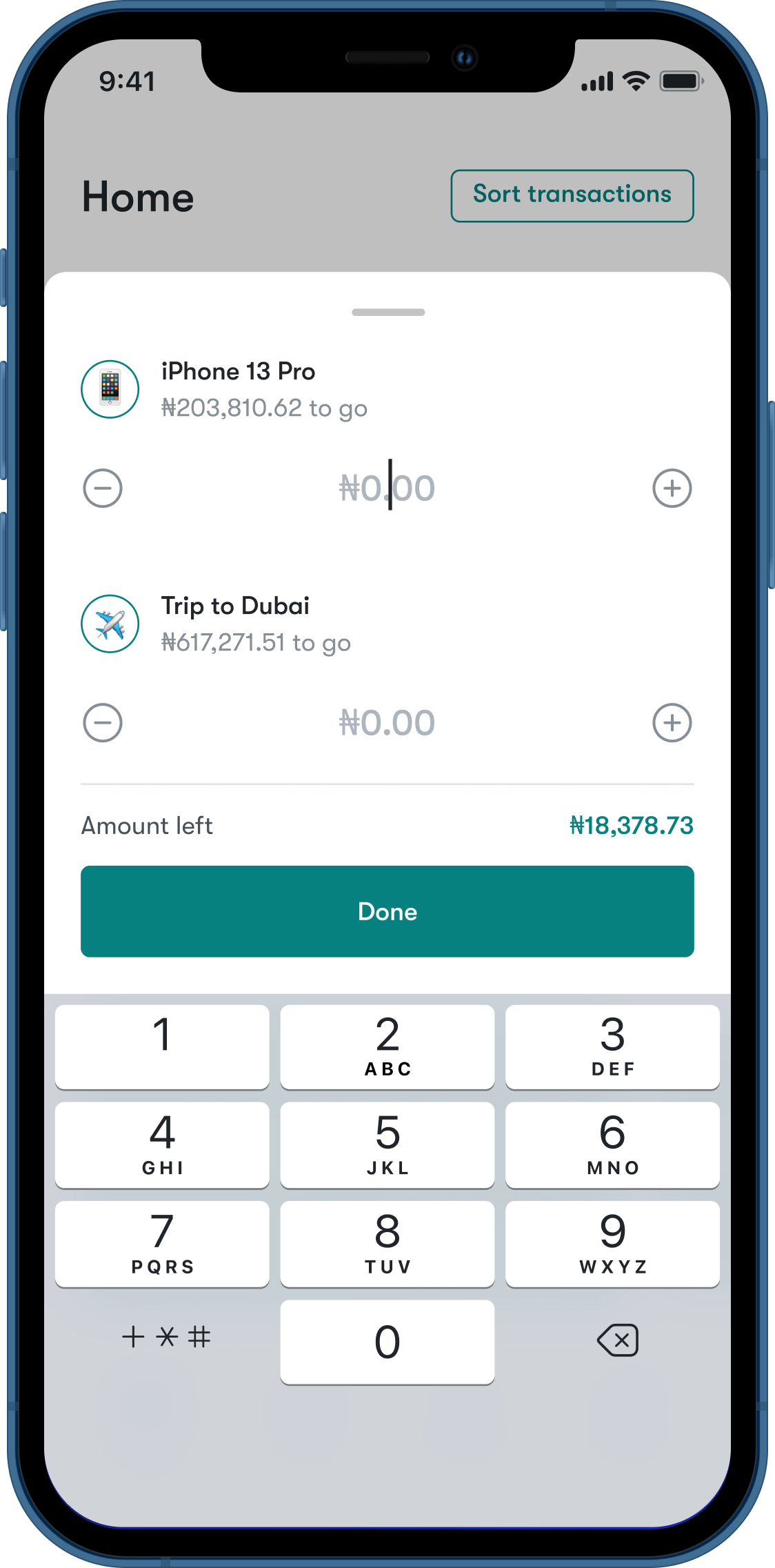
Vacuuming, which can help users develop instinctive saving habit by sweeping up unspent money into savings goals.
GENERAL FEATURES
Bank account management
Income & expense tracker
Expense categorization
Flexible budget creation
Accounts reporting
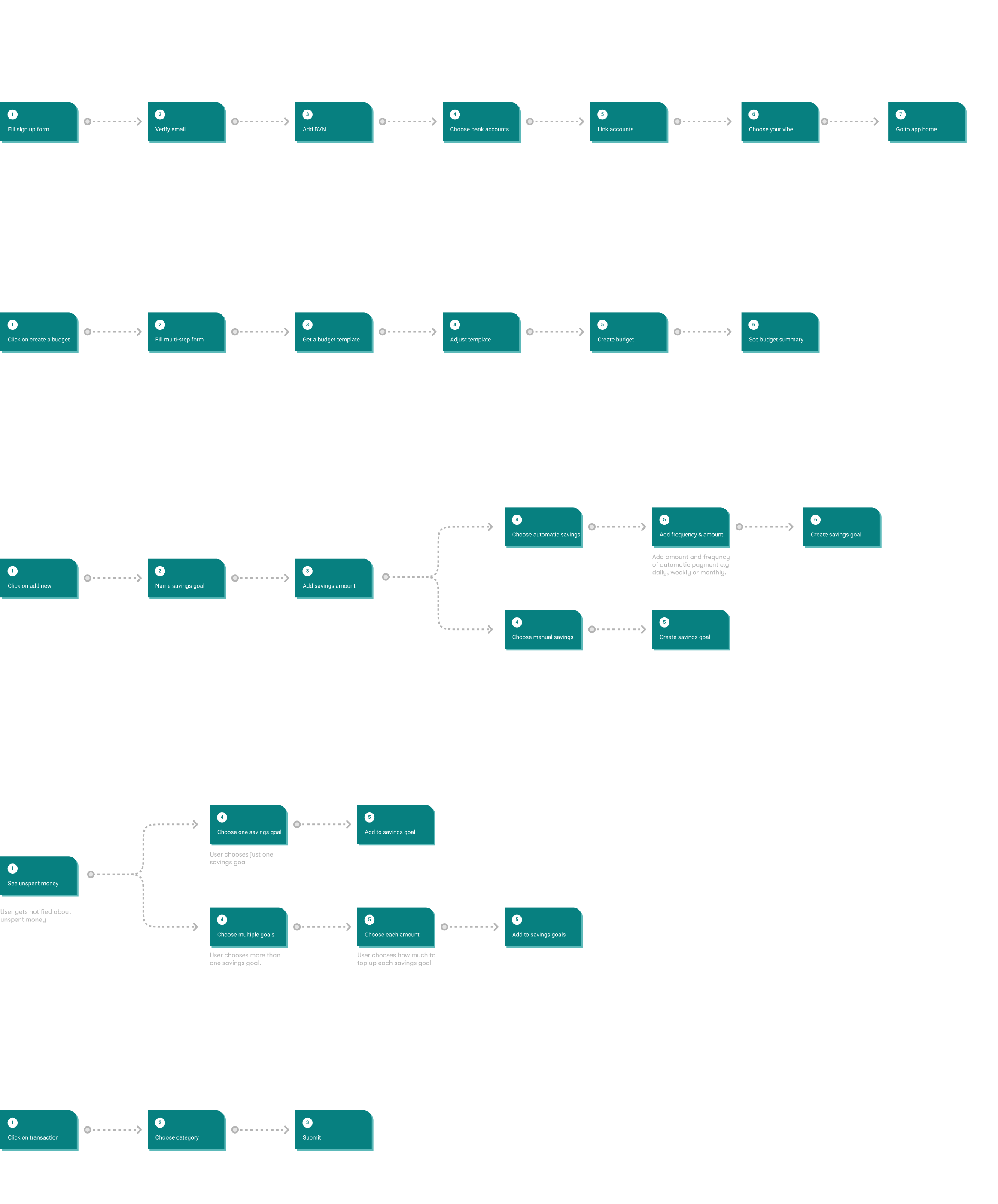
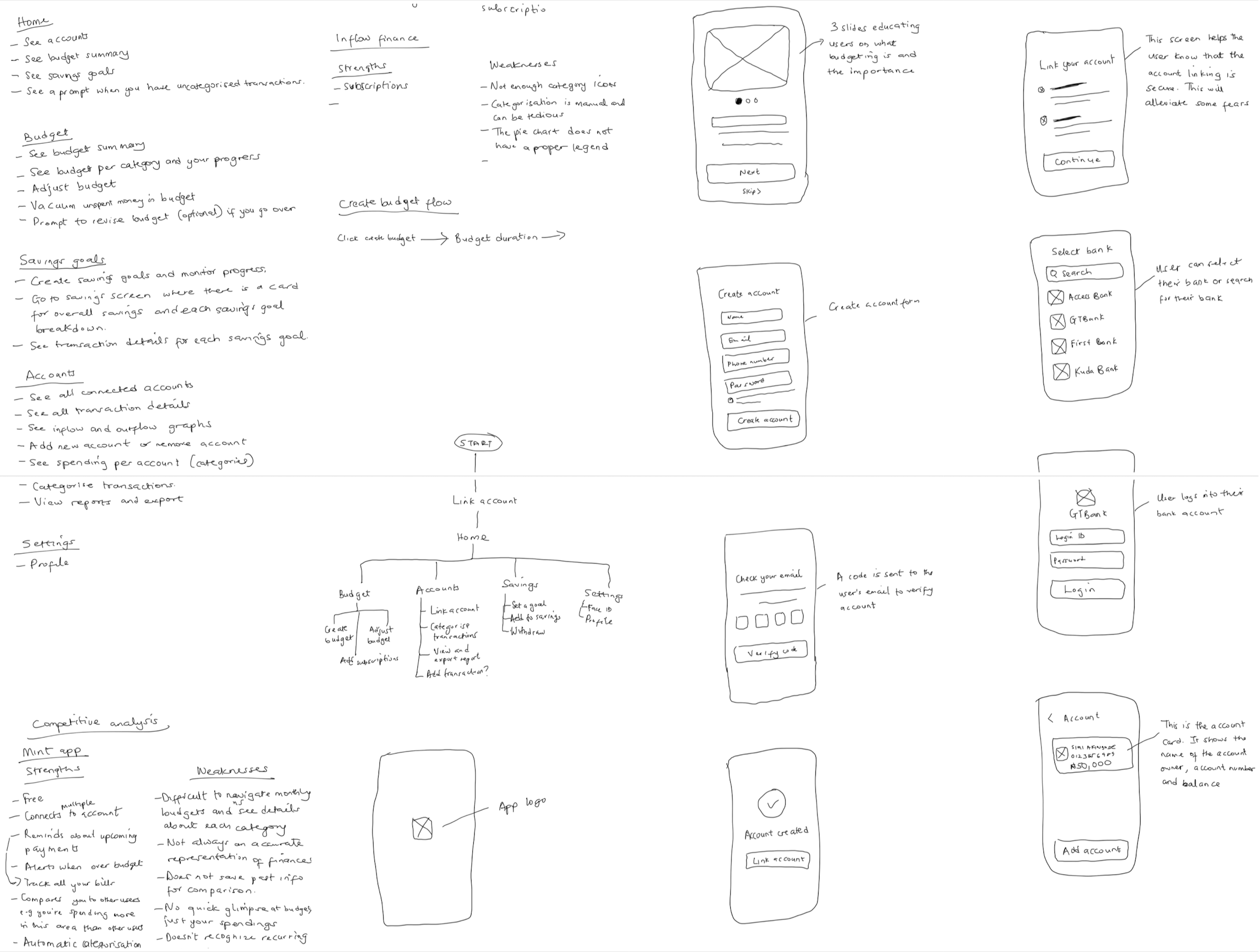
User flows
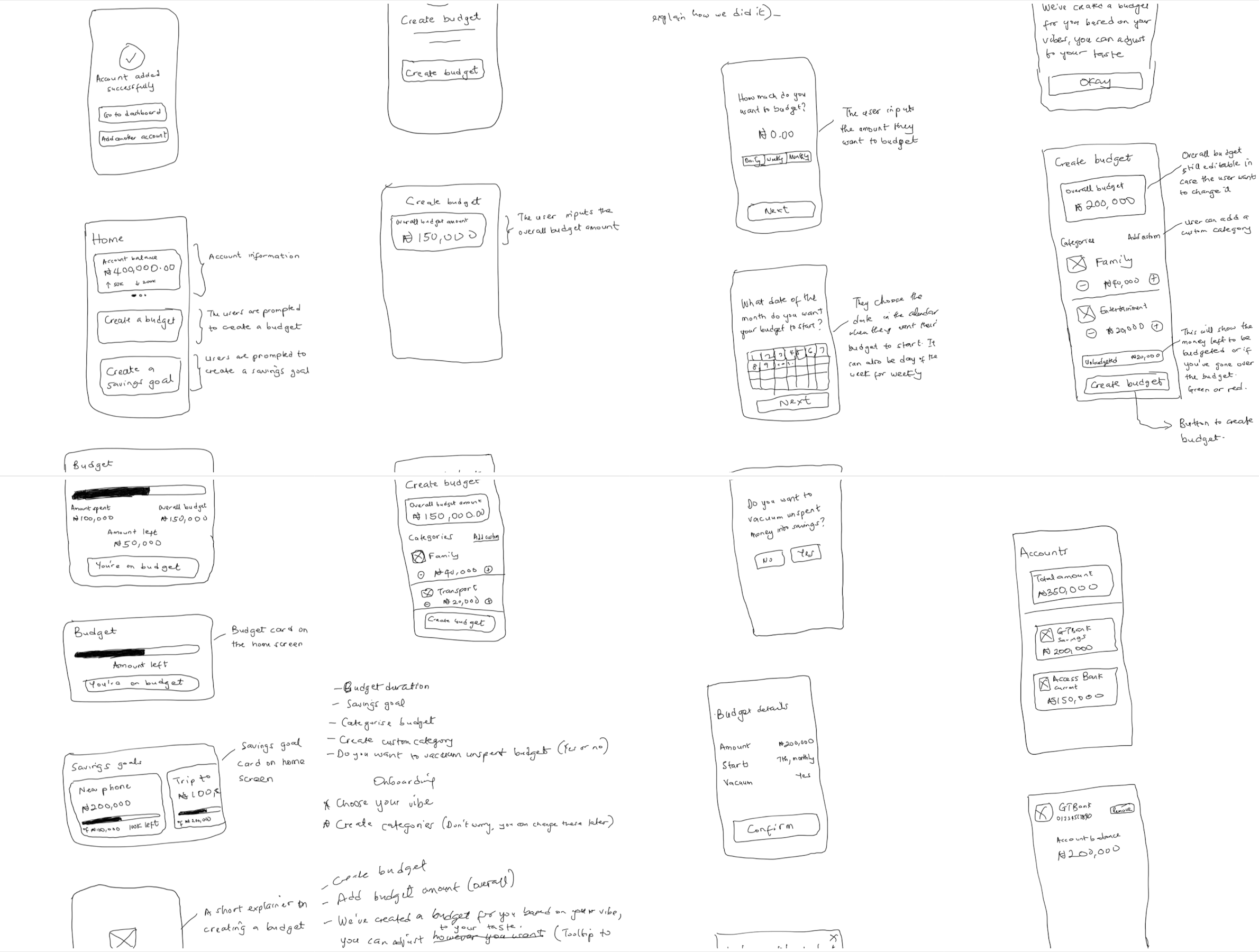
Sketches
Based on the user flows and other ideas from my notes, I sketched the app interface.
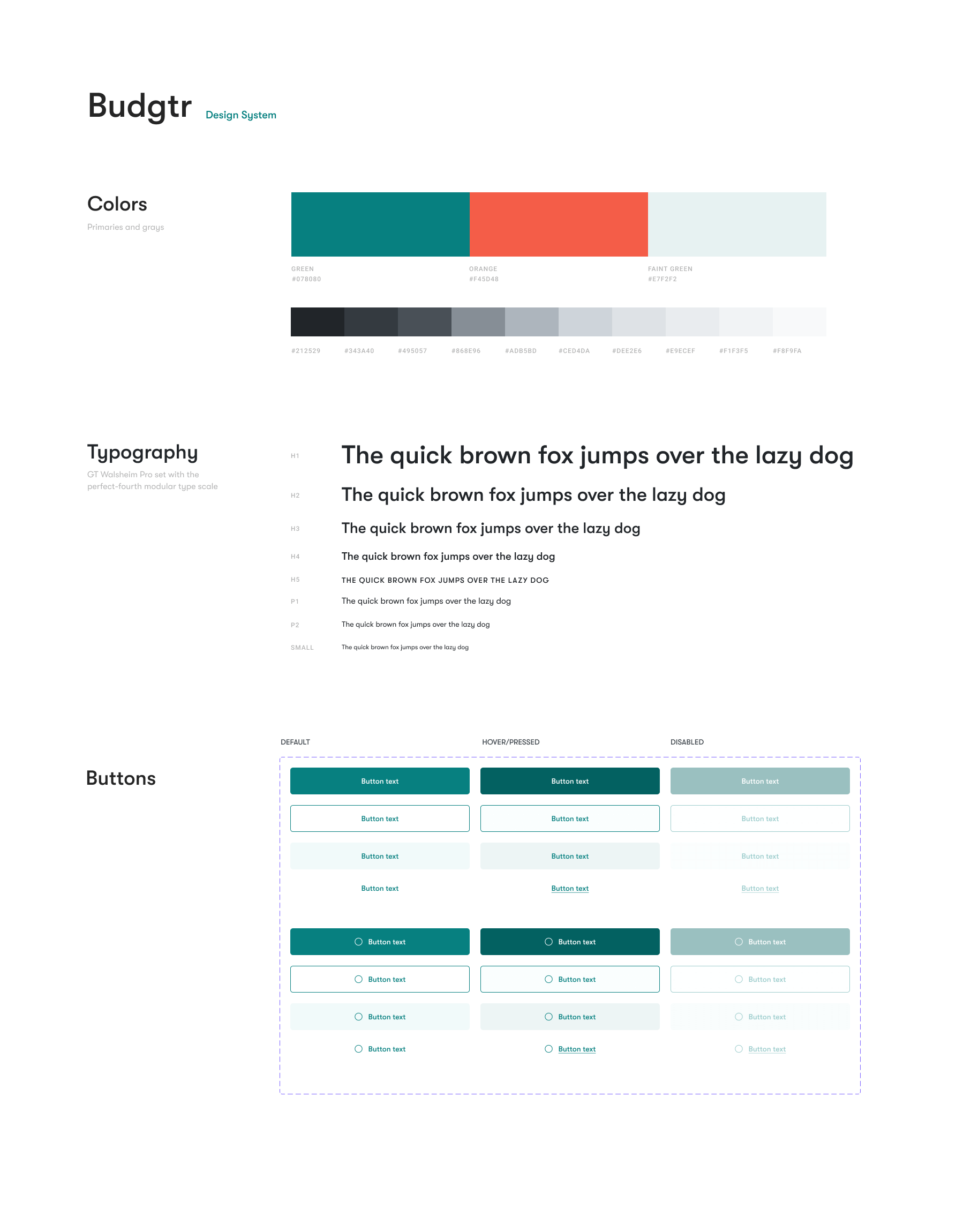
Style guide
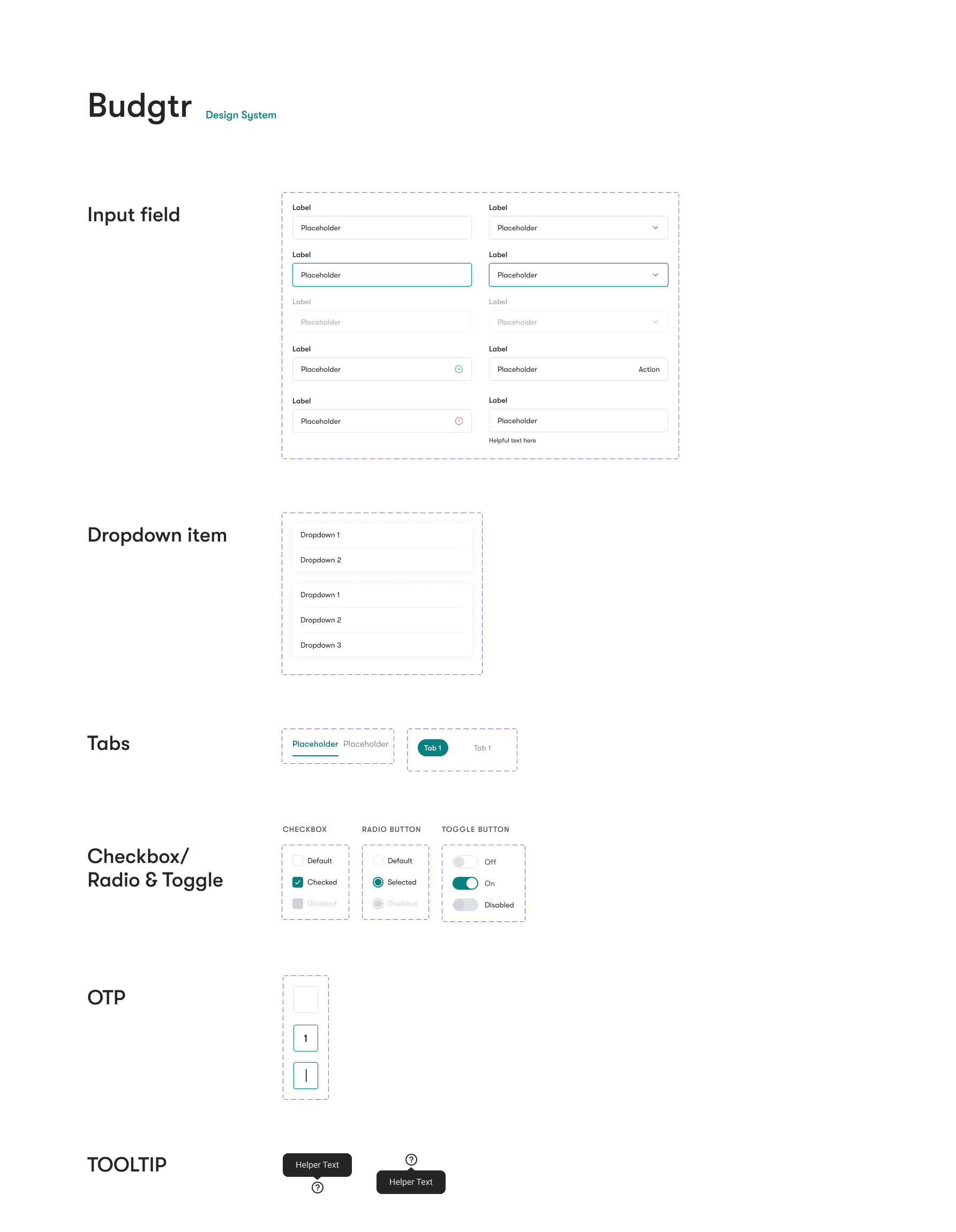
The styles (colours and font) for this app were determined by the informal tone I had established. I also created other UI assets and components that would be necessary for creating the interfaces.
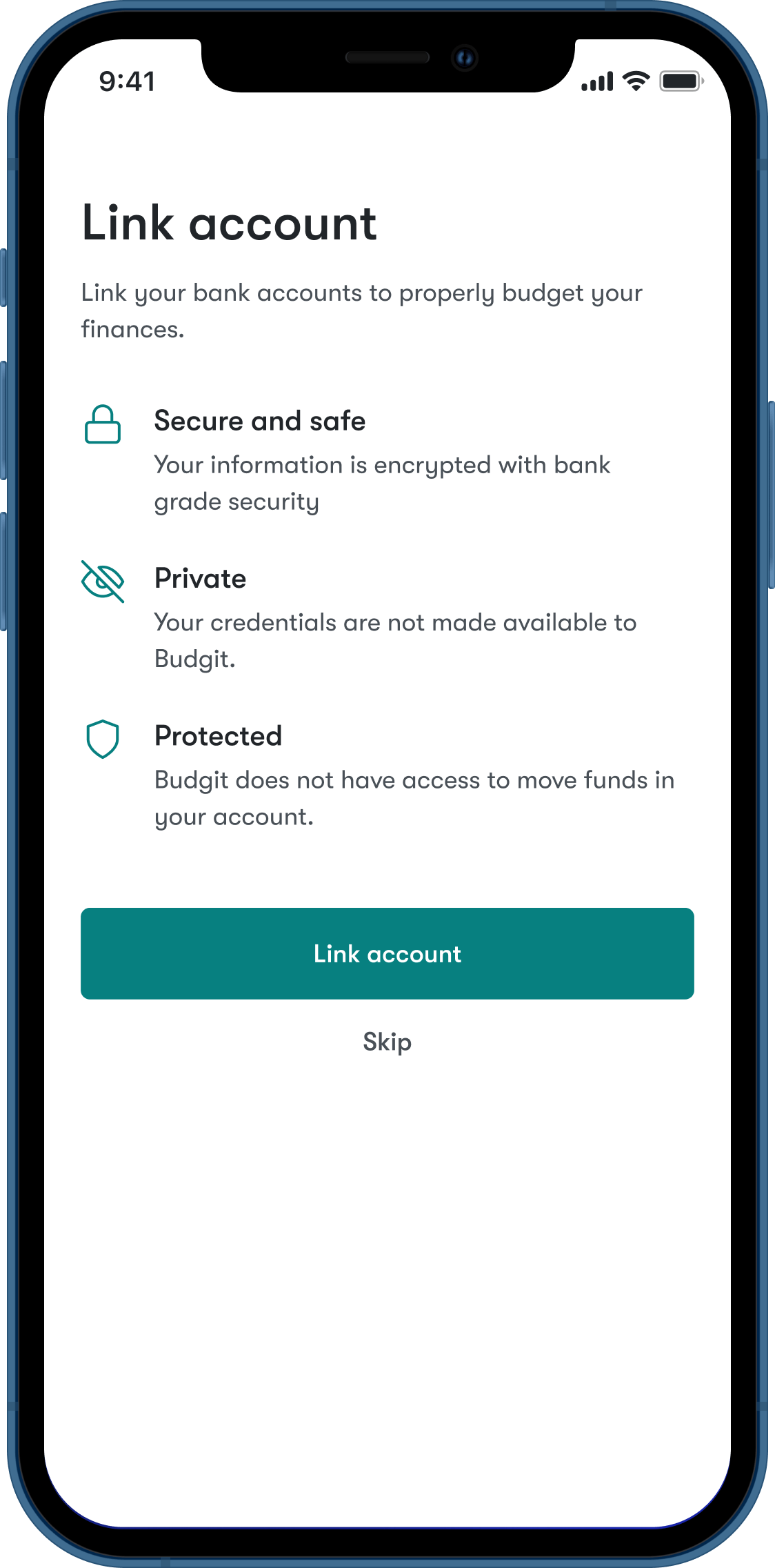
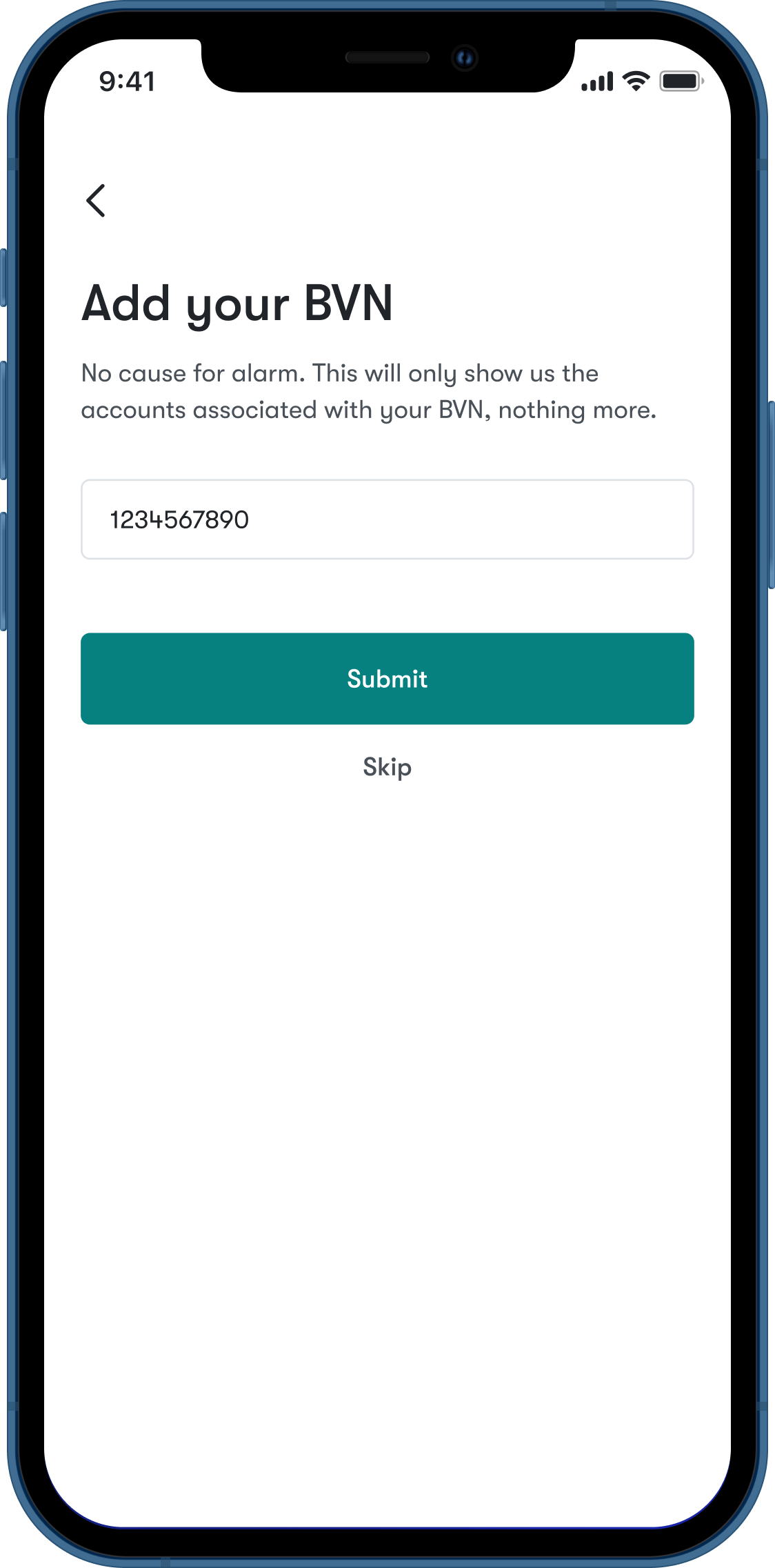
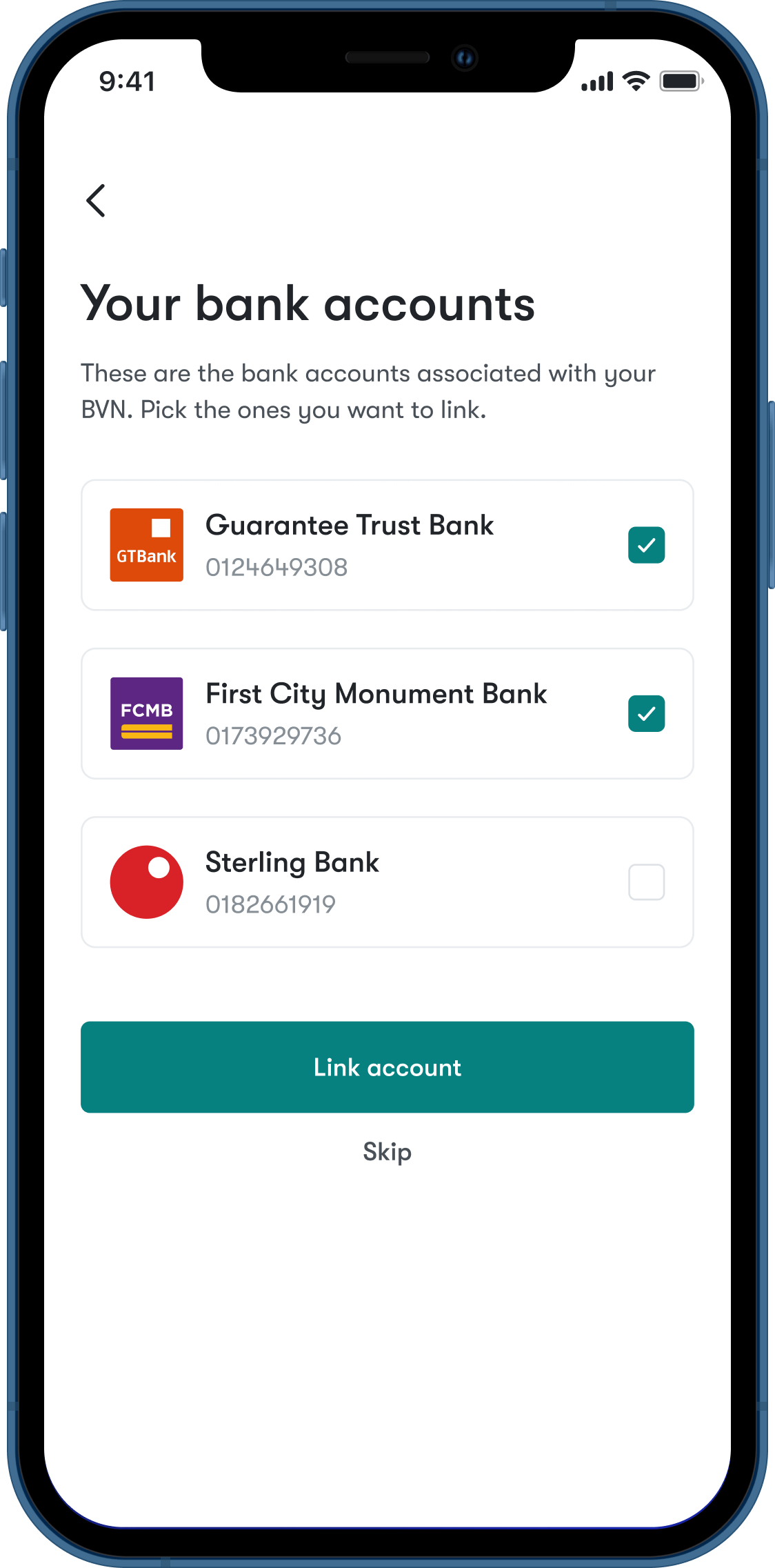
Setting up your account
Users create an account and link their bank account(s). In Nigeria, everybody with at least a bank account has a number known as the Bank Verification Number (BVN). The BVN ties together every bank account an individual owns, eliminating the need for repeating the process of linking different bank accounts. By using this number, all accounts associated with that account is revealed and the user can then choose the account they want to link.
Home, sweet home
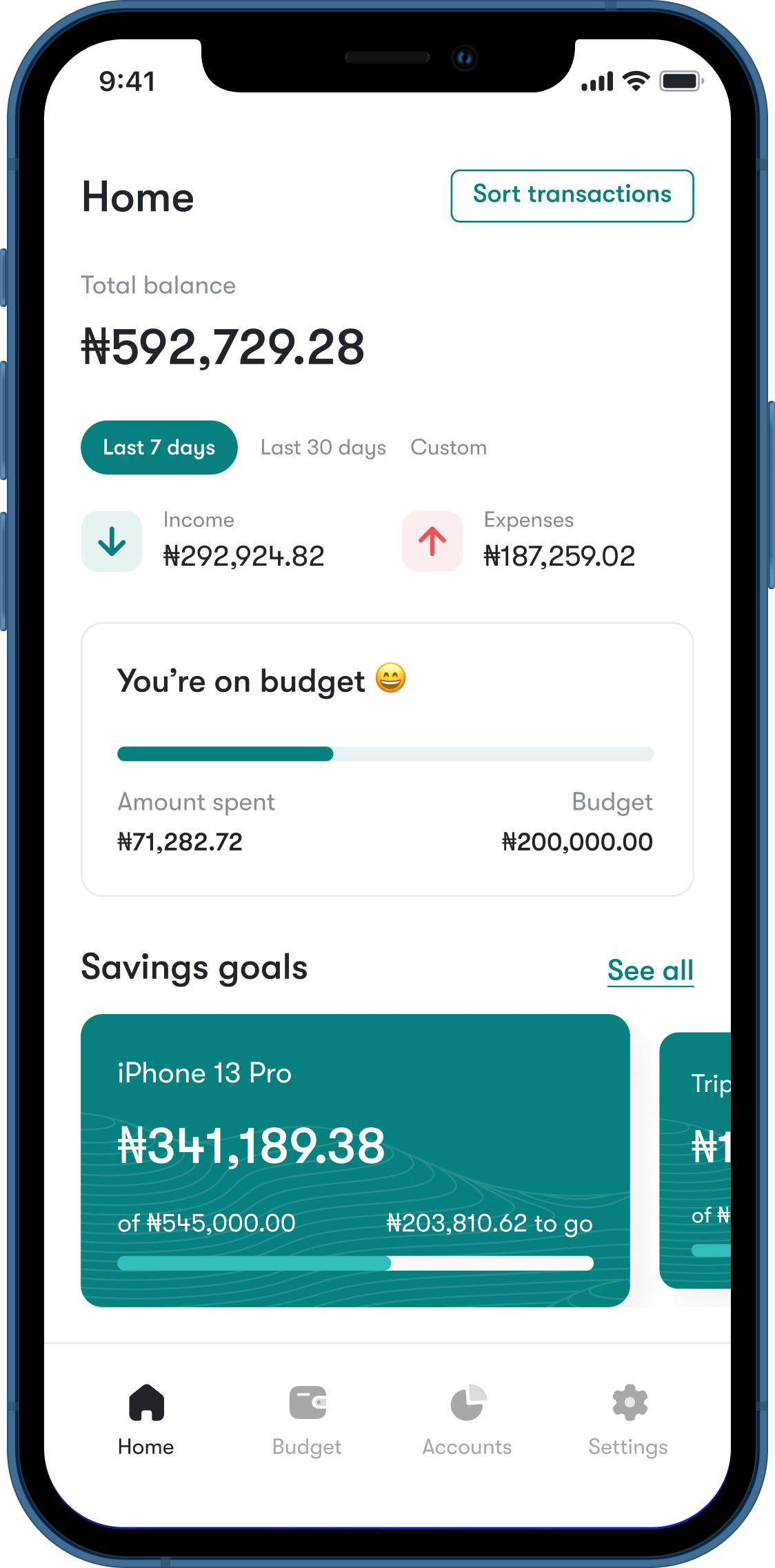
The home screen shows an overview of what is going. It helps you know at a glance how much is going in and out of your account, whether you’re on budget, and where you are on your savings goals.
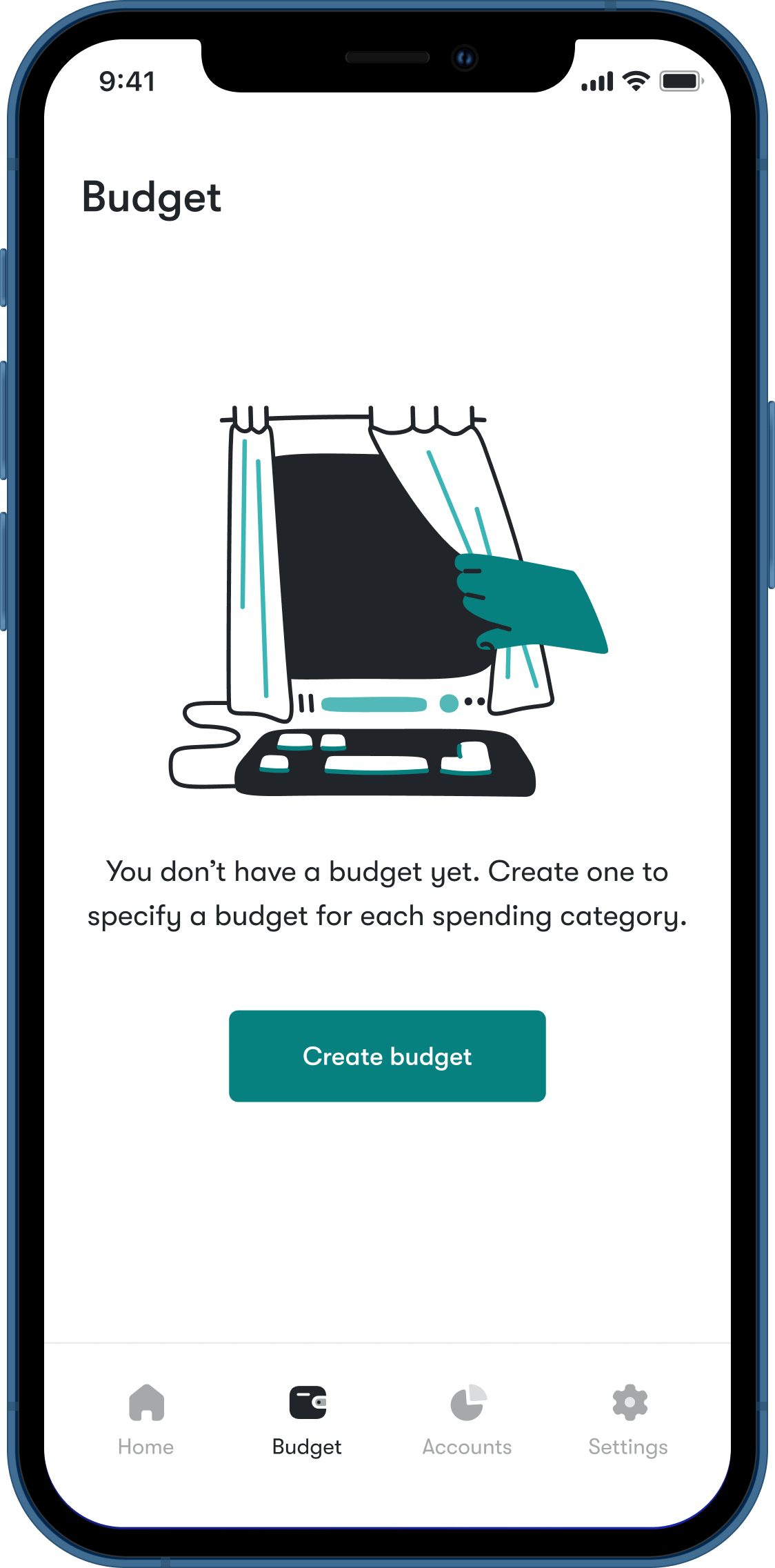
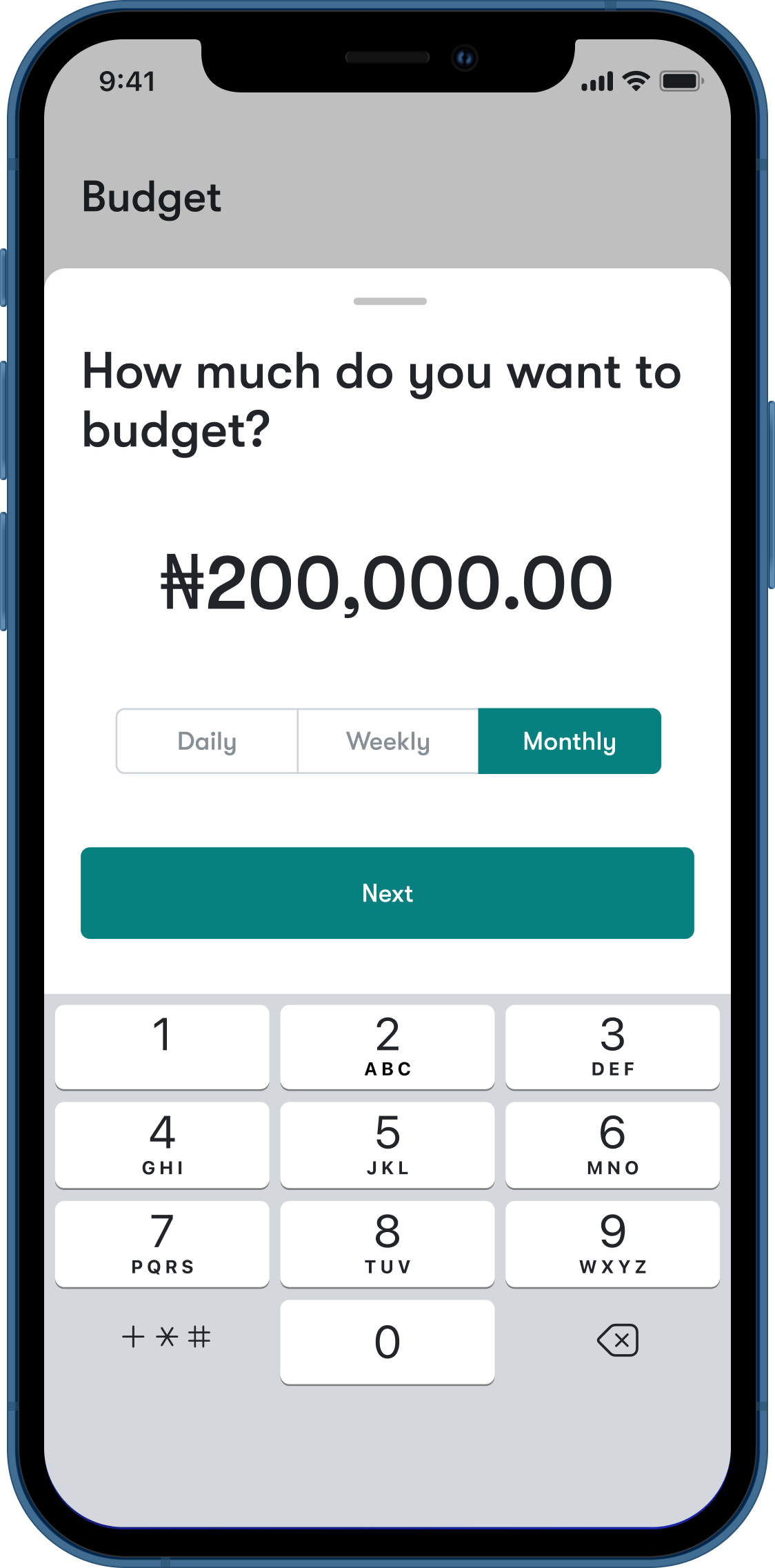
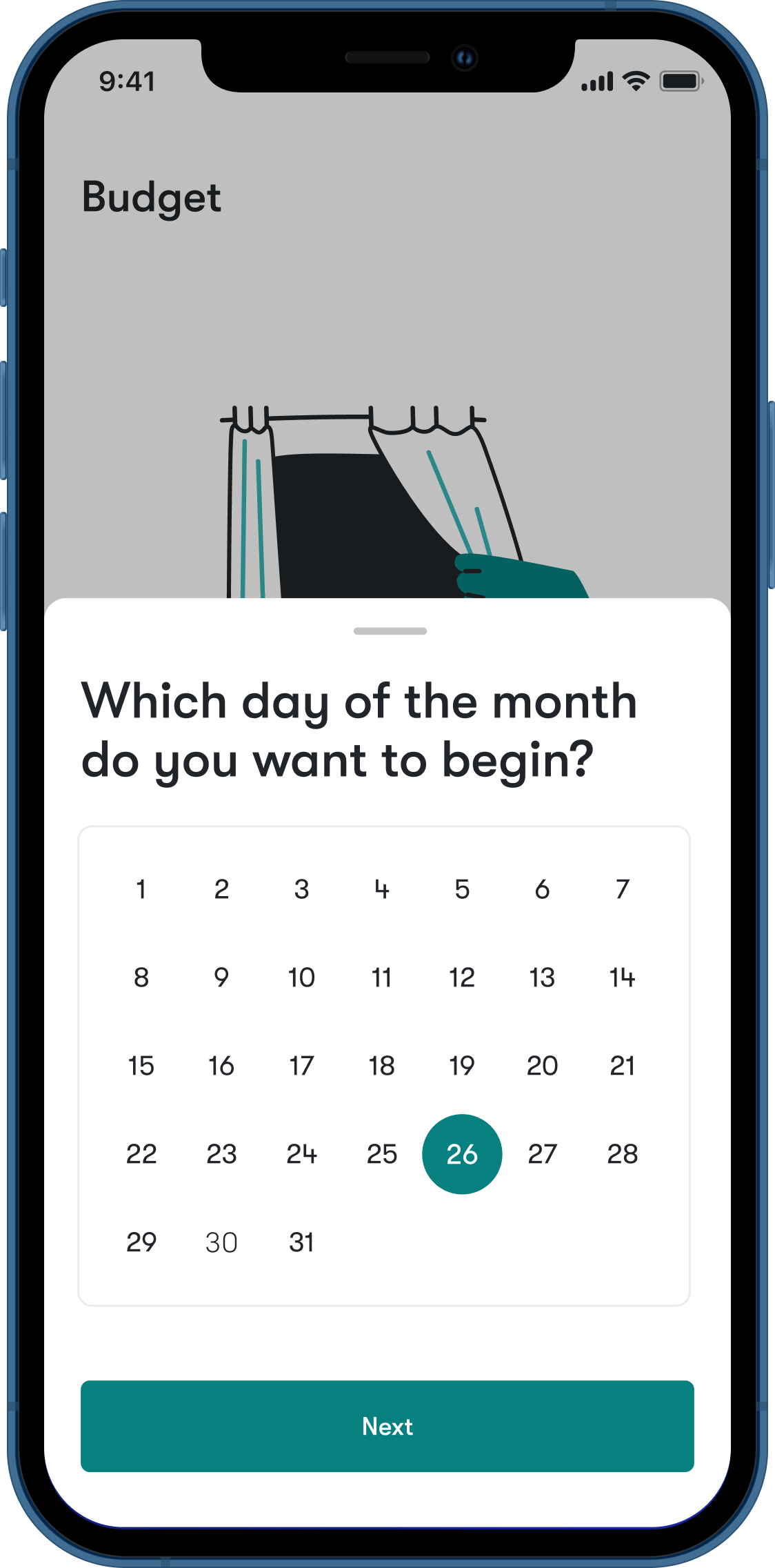
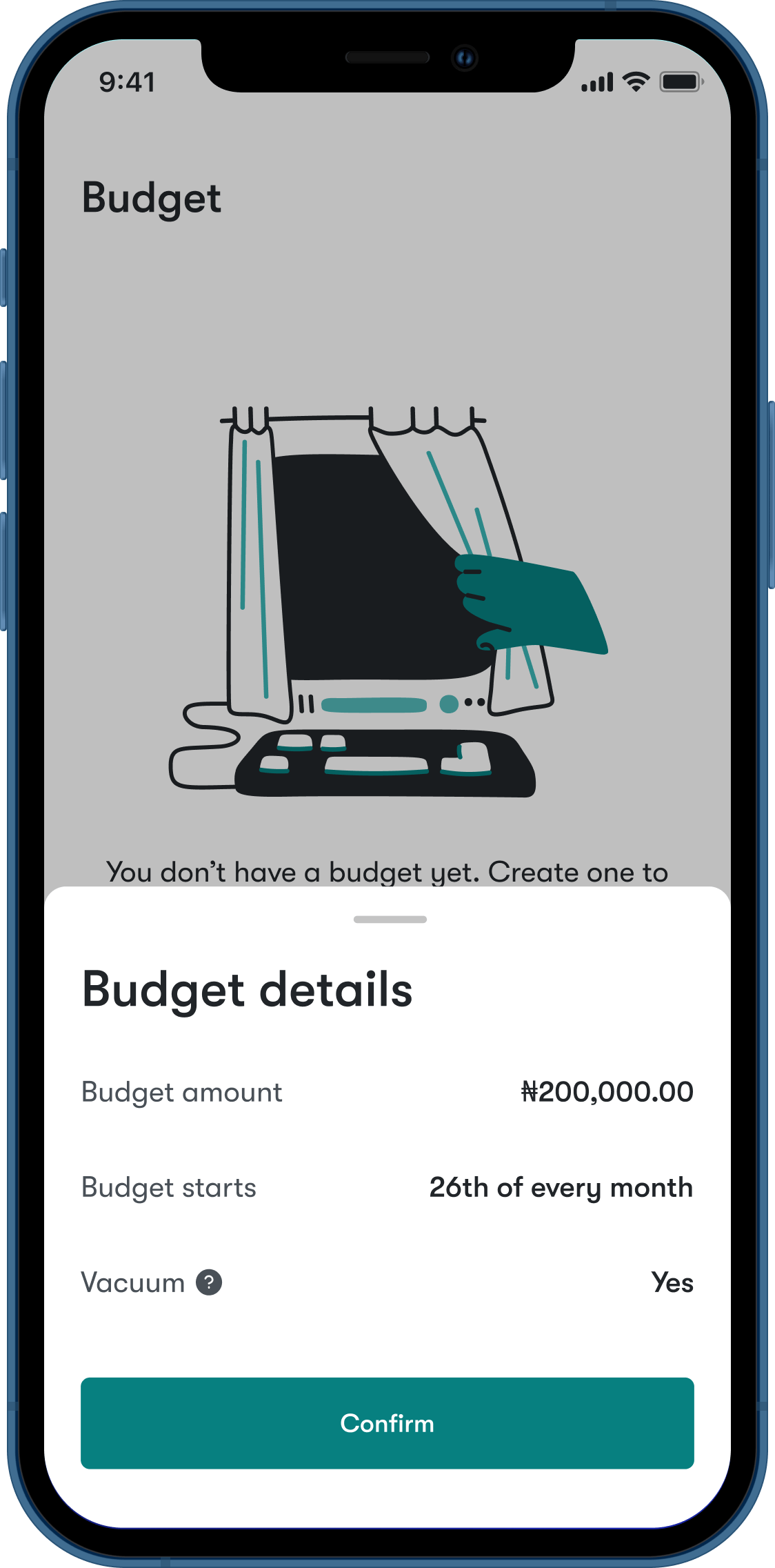
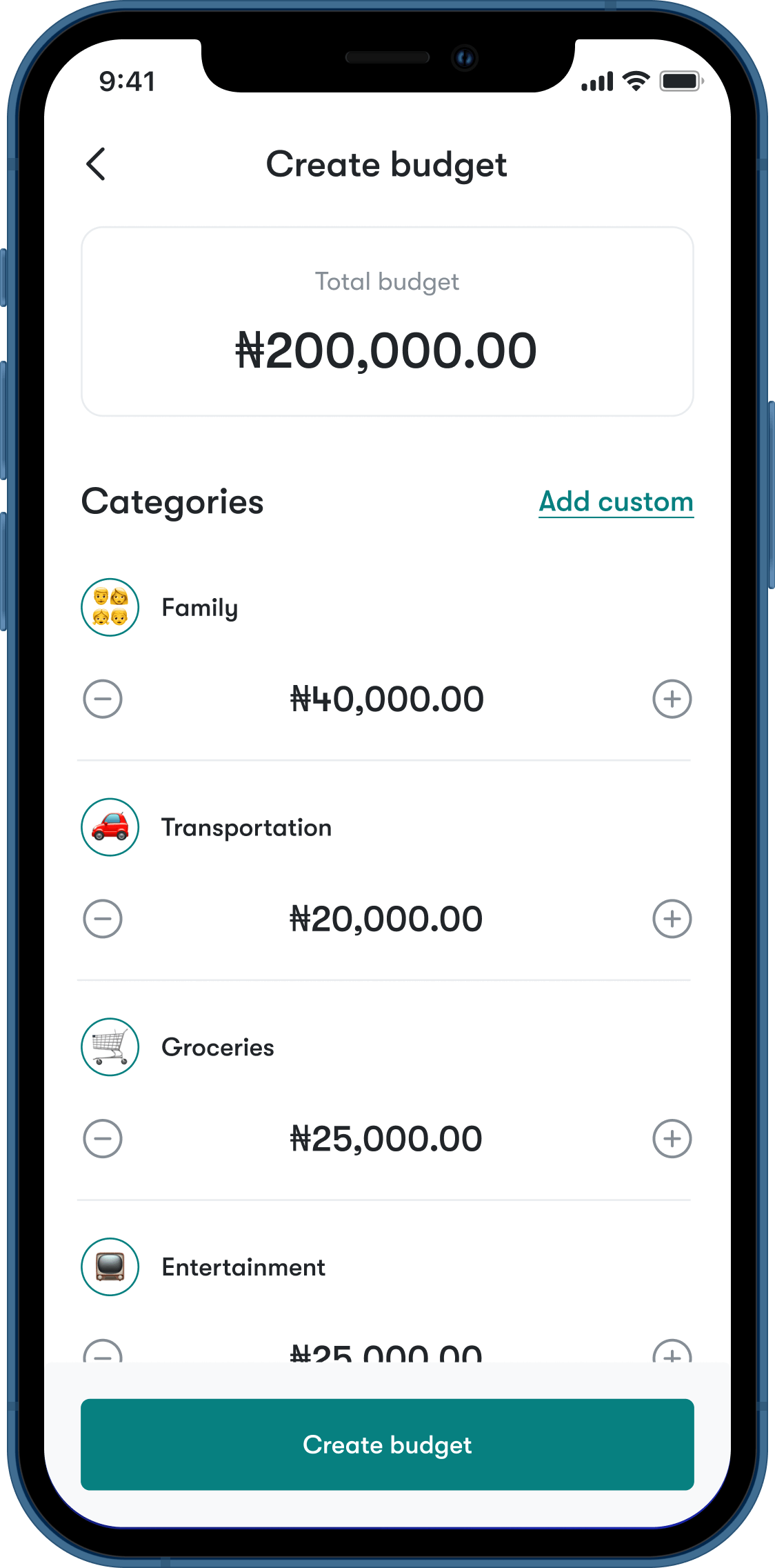
Create a budget
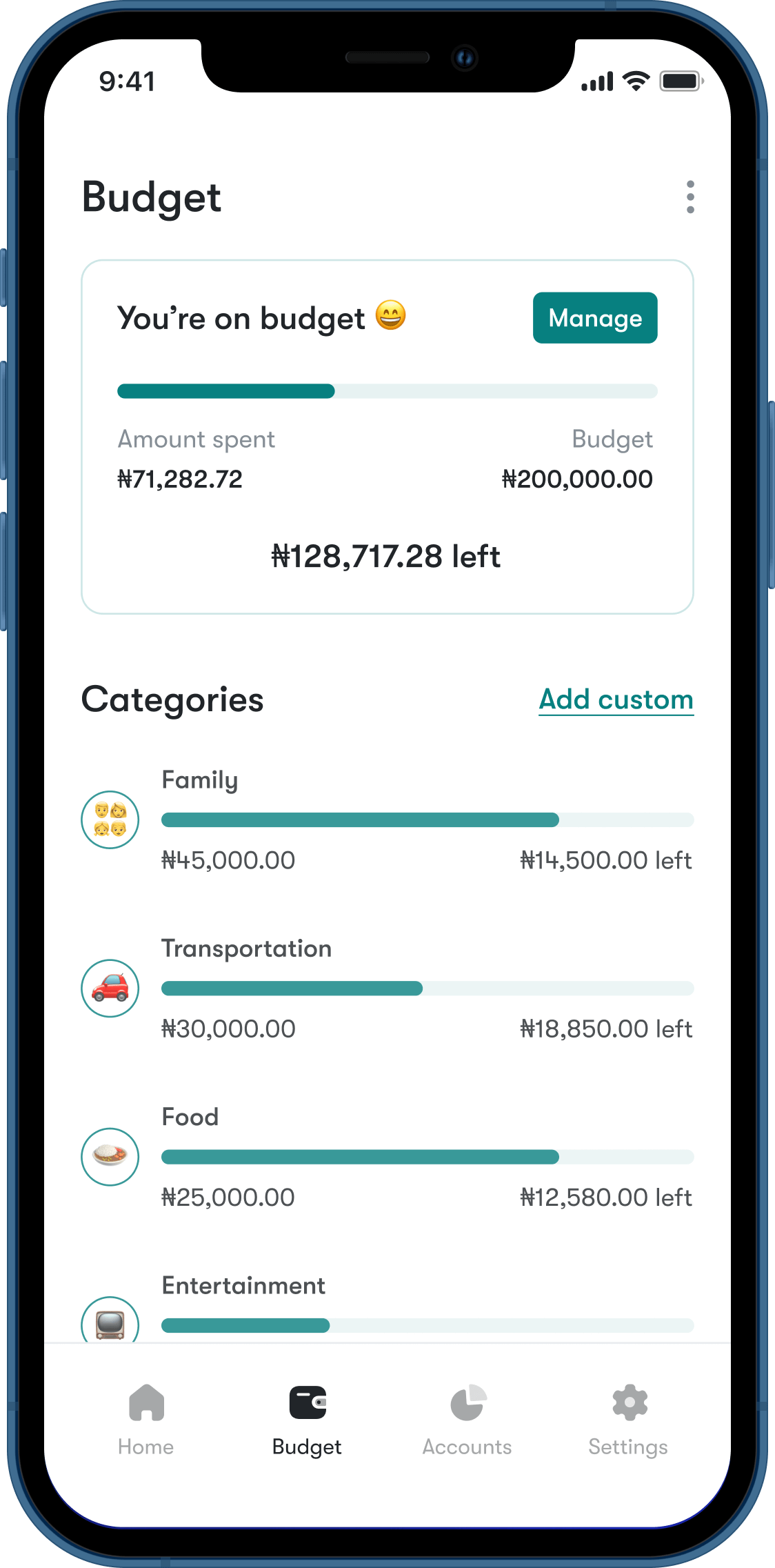
The budget feature allows users to budget their spending over a period of time. The budget amount is divided across set categories.
What's your vibe?
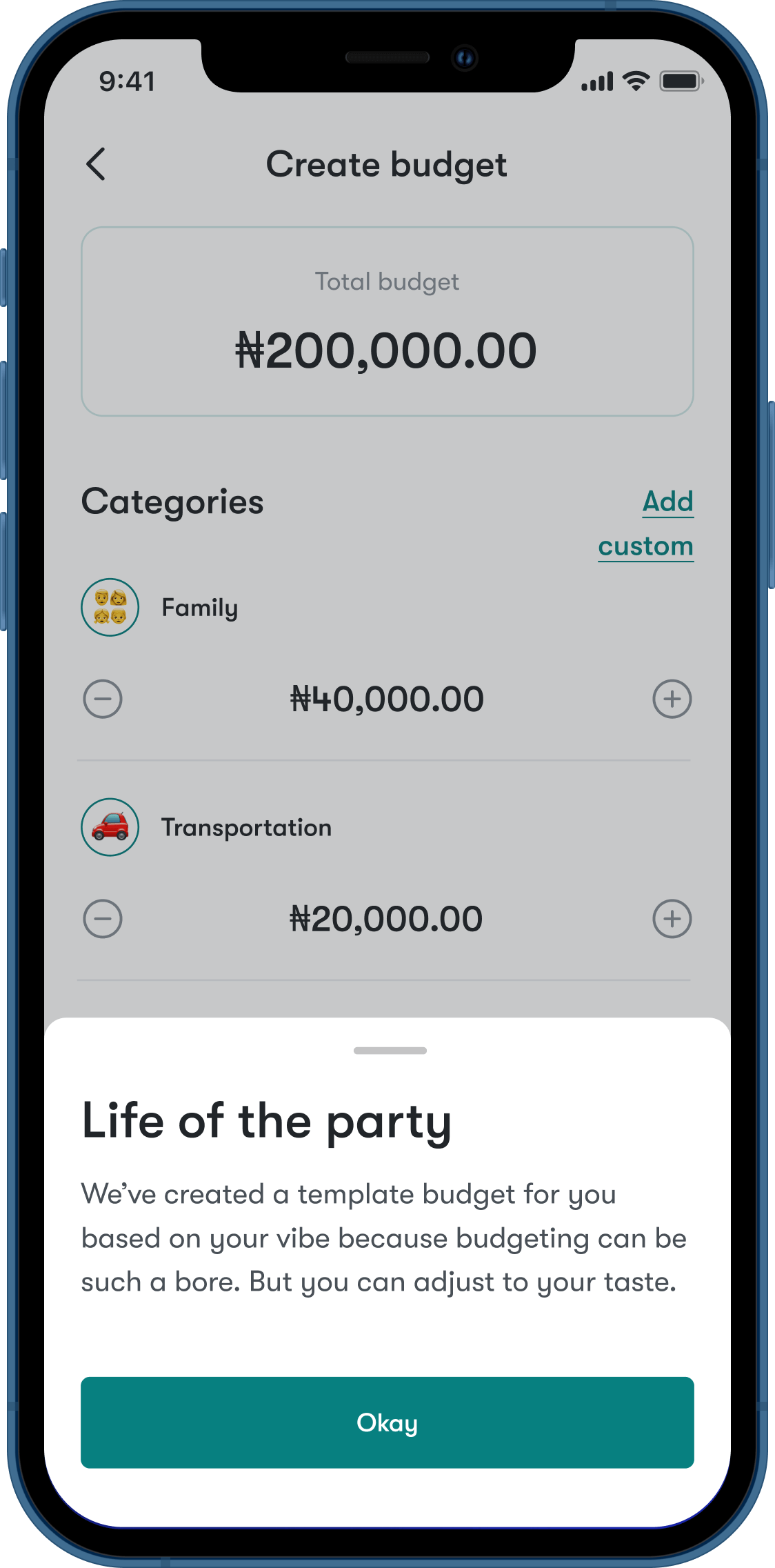
One of the recurring things from the survey as well as individual interviews was that budgeting is stressful. One of the ways I thought to solve this problem is to give the users a starting point. During the onboarding, users are asked to choose a vibe. Crafted from the user personas, a vibe is a basic profile that helps to create a budget template for a user, with the budget amount shared into categories based on predetermined calculations for each profile.
For example, someone who goes out a lot will most likely spend much more on transportation than someone who hardly goes out. The templates are a starting point that users can then adjust to taste, potentially helping to solve budget fatigue for users who struggle to apportion their budget into categories.
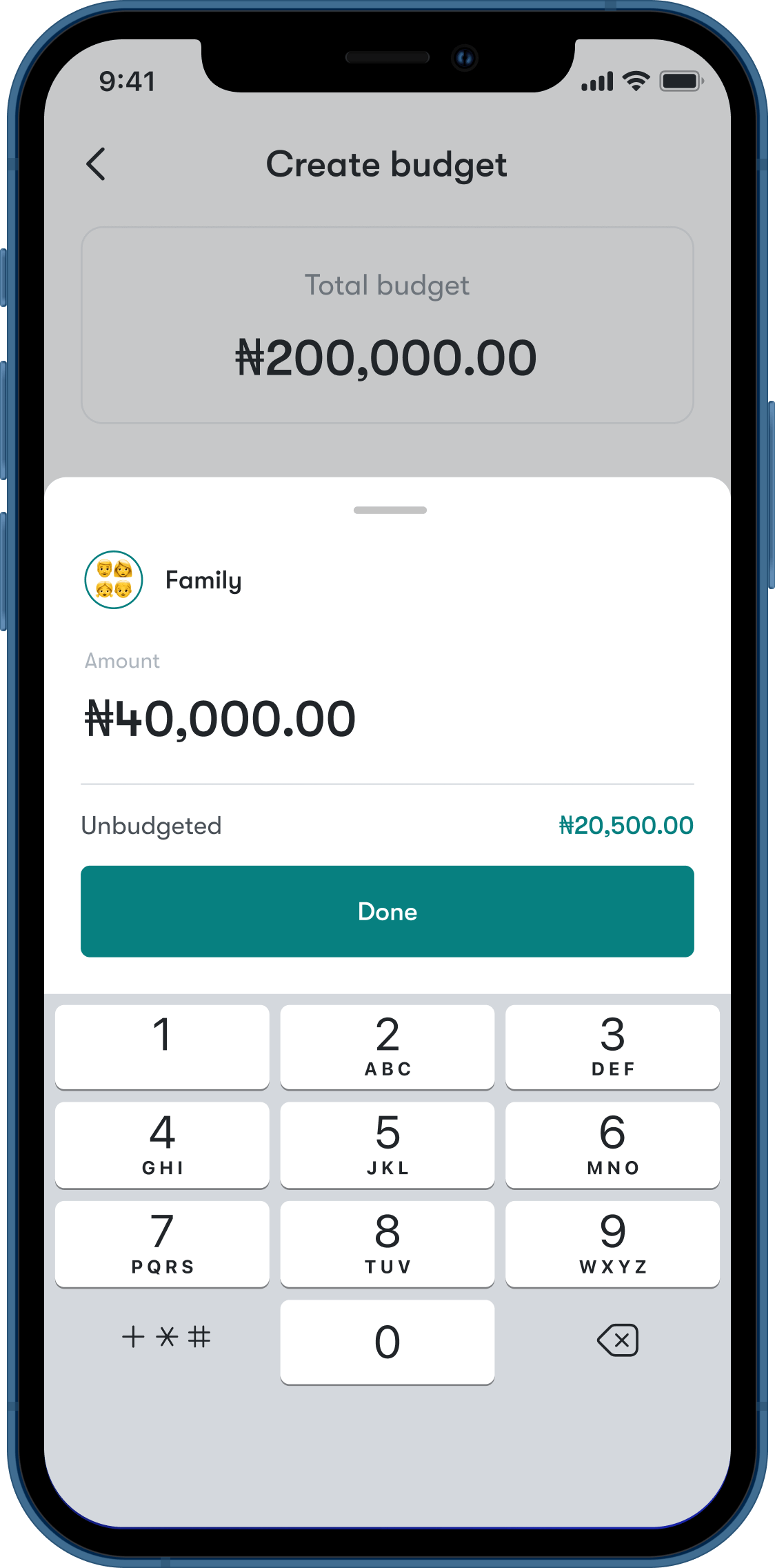
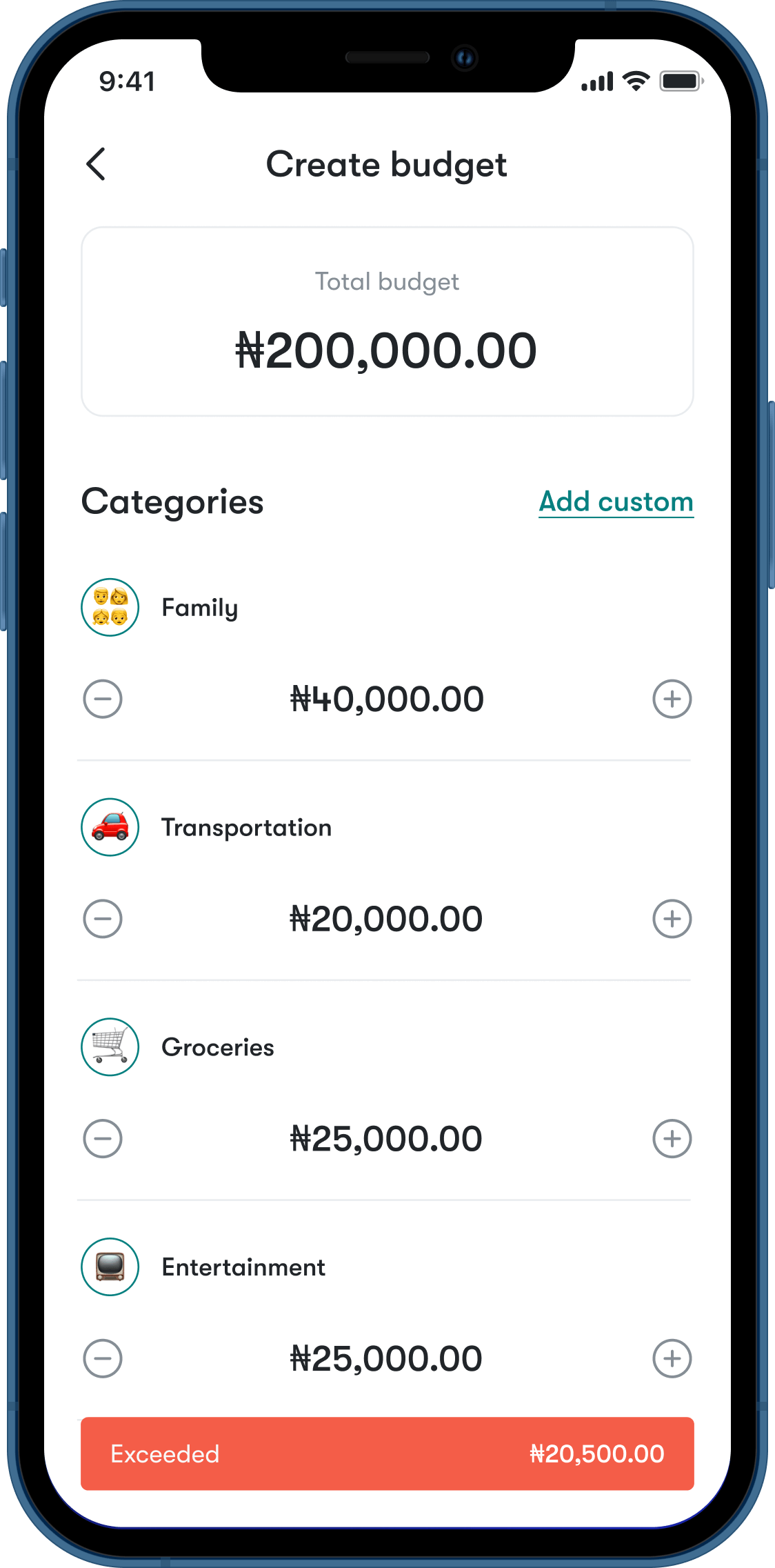
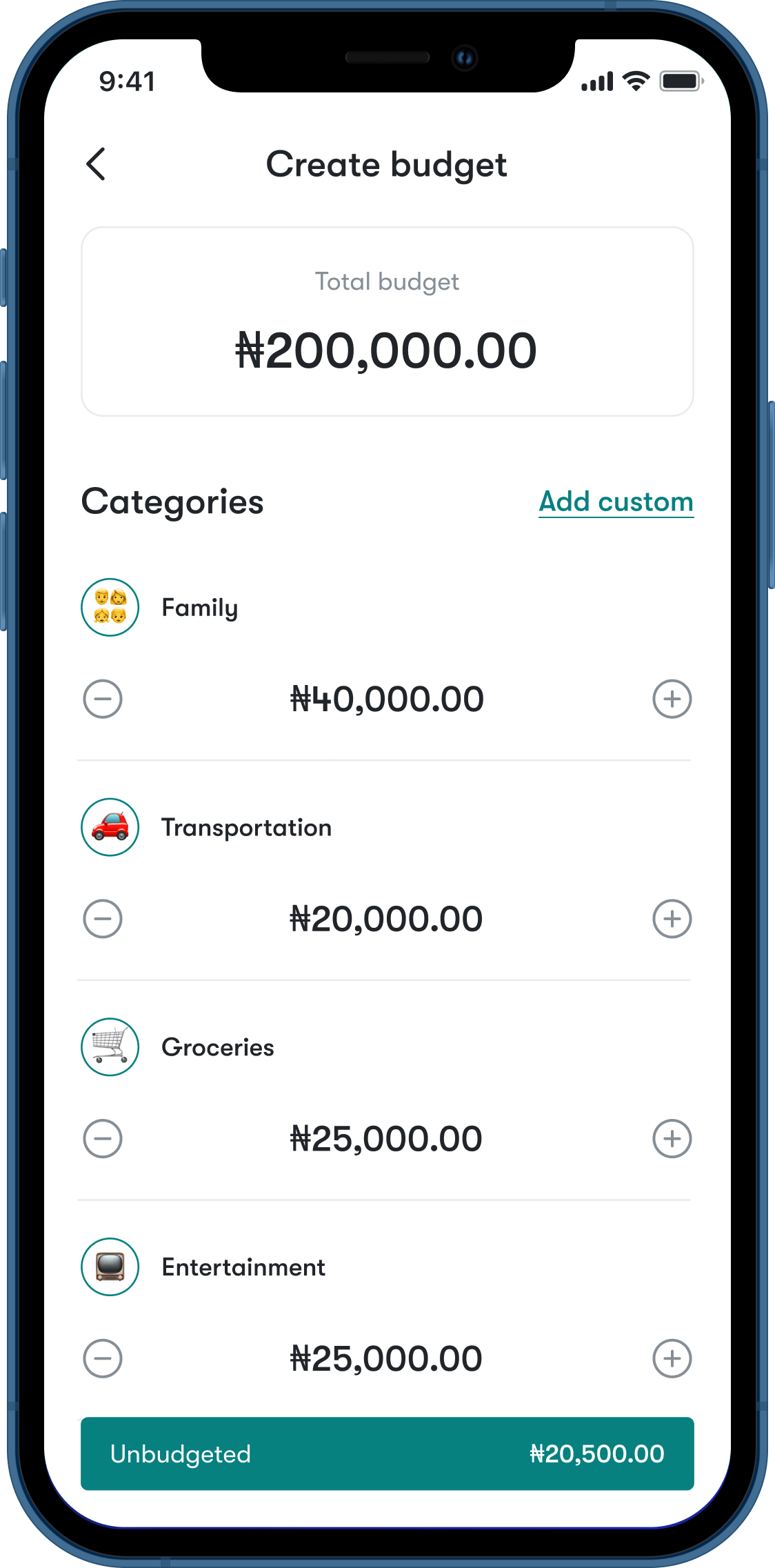
Adjust budget
User can now adjust the budget template however they want.
Budget overview
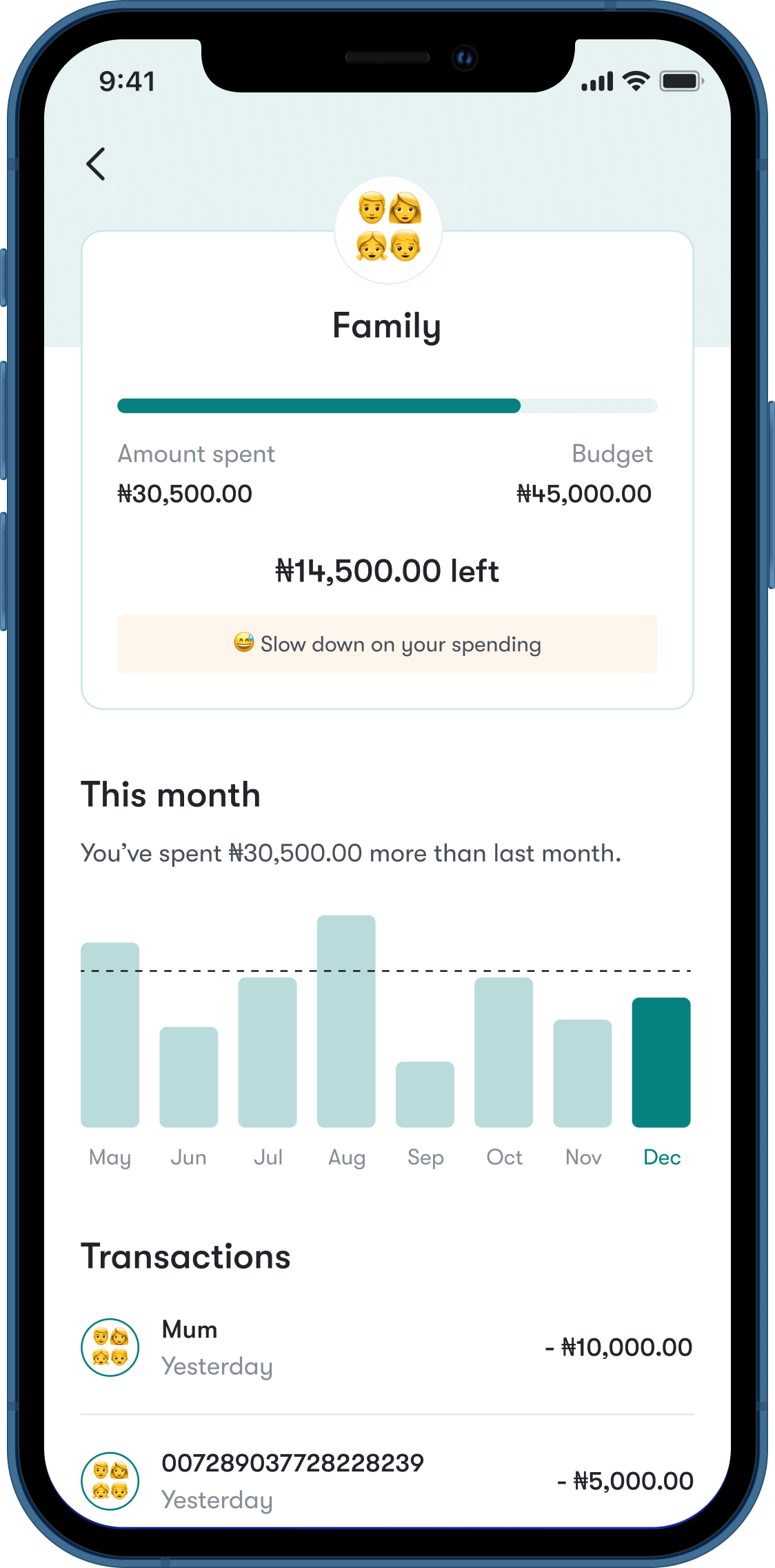
This is where we can see an overview of your budget and how much was spent on each category. You can also see a breakdown of each category.
For example, someone who goes out a lot will most likely spend much more on transportation than someone who hardly goes out. The templates are a starting point that users can then adjust to taste, potentially helping to solve budget fatigue for users who struggle to apportion their budget into categories.
Vacuum!
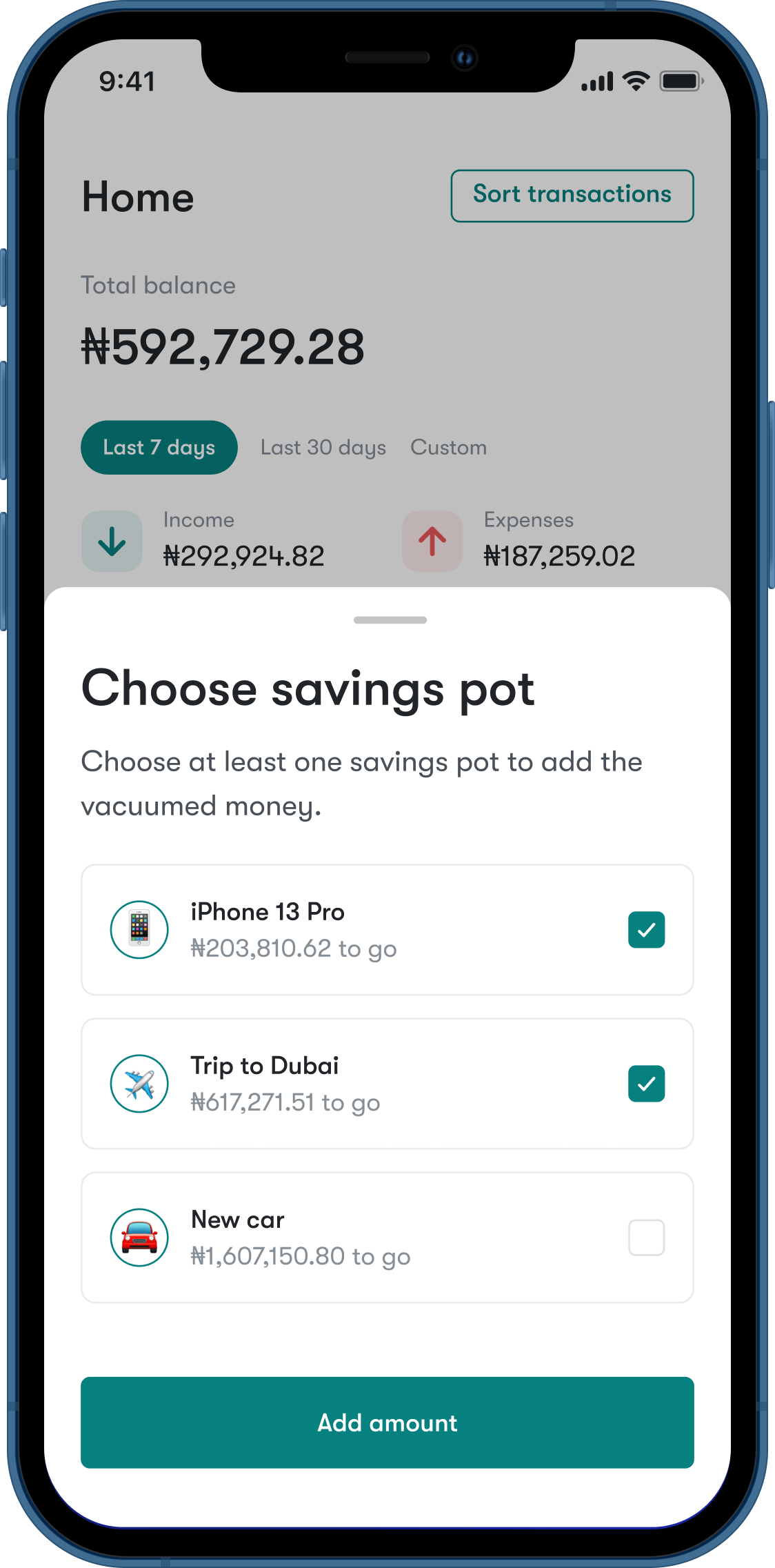
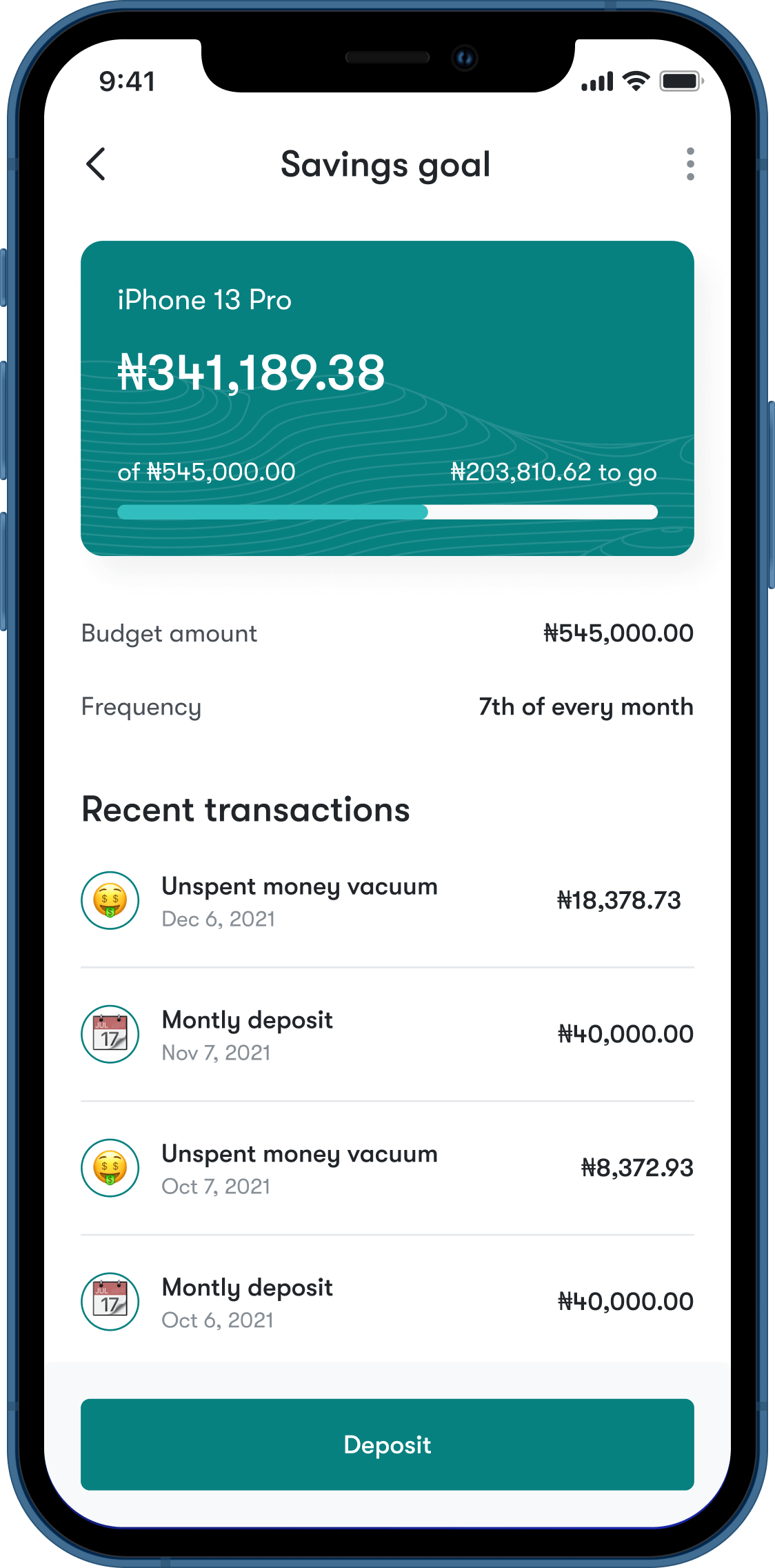
At the end of a budget period, any unspent money (a budget surplus) is vacuumed into the savings. Users can then choose which of their savings goals (one or more) they want to add this surplus to. The idea is to help users prioritize meeting their savings goals and develop an instinctual savings habit.
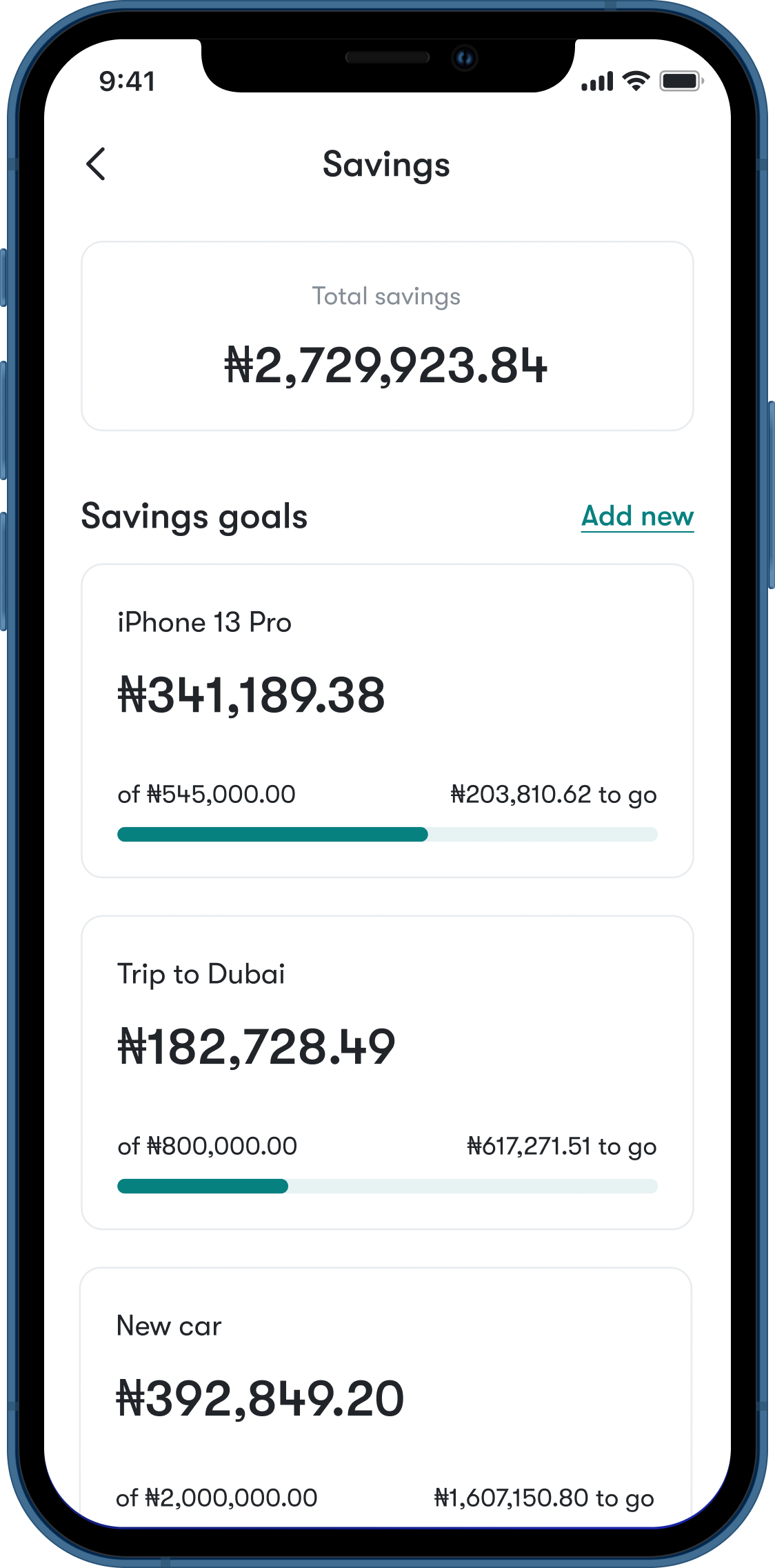
Savings
Users get immediate insight into their savings performance, including how much has been saved and how much is left to go on their goals.
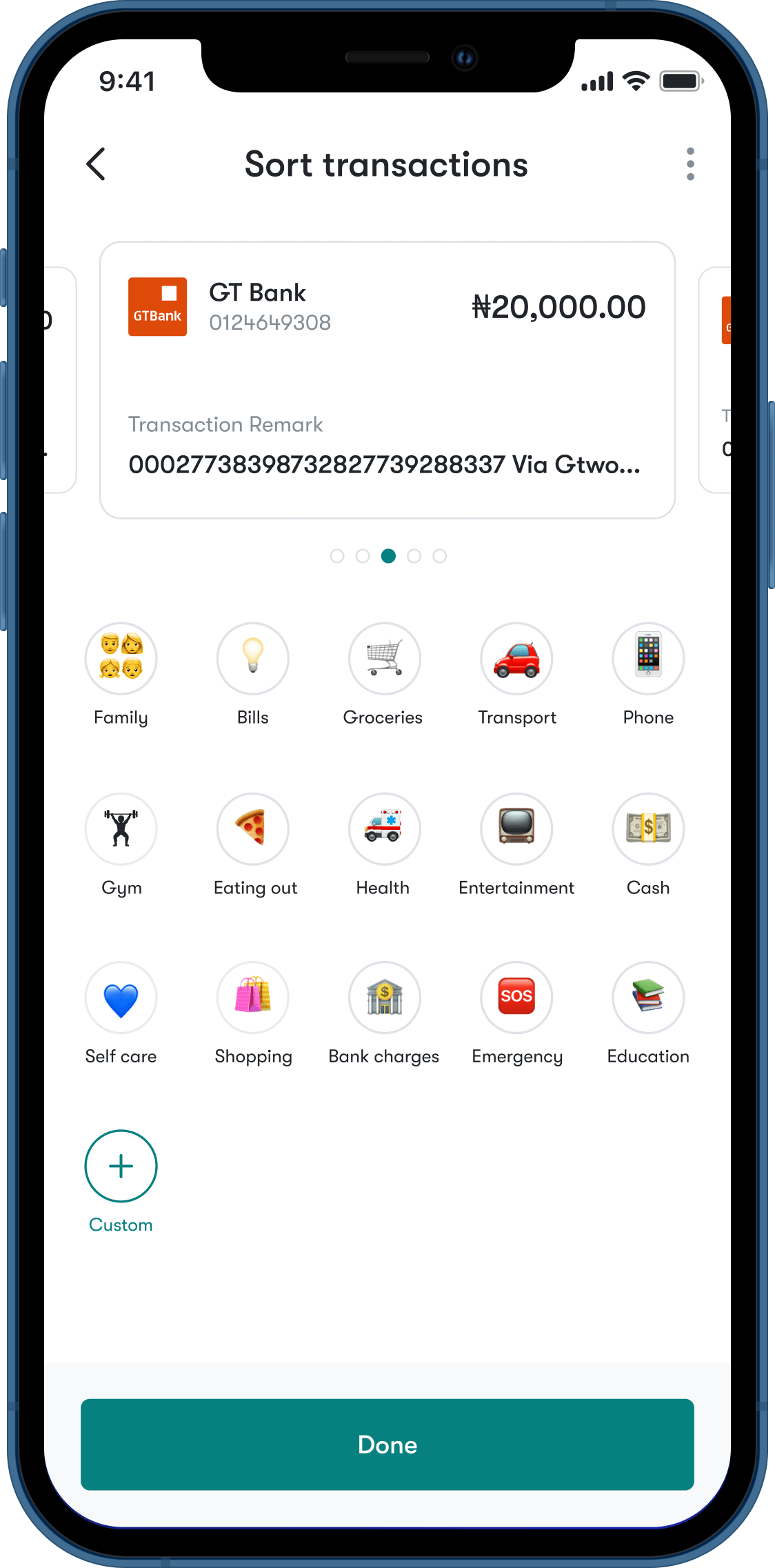
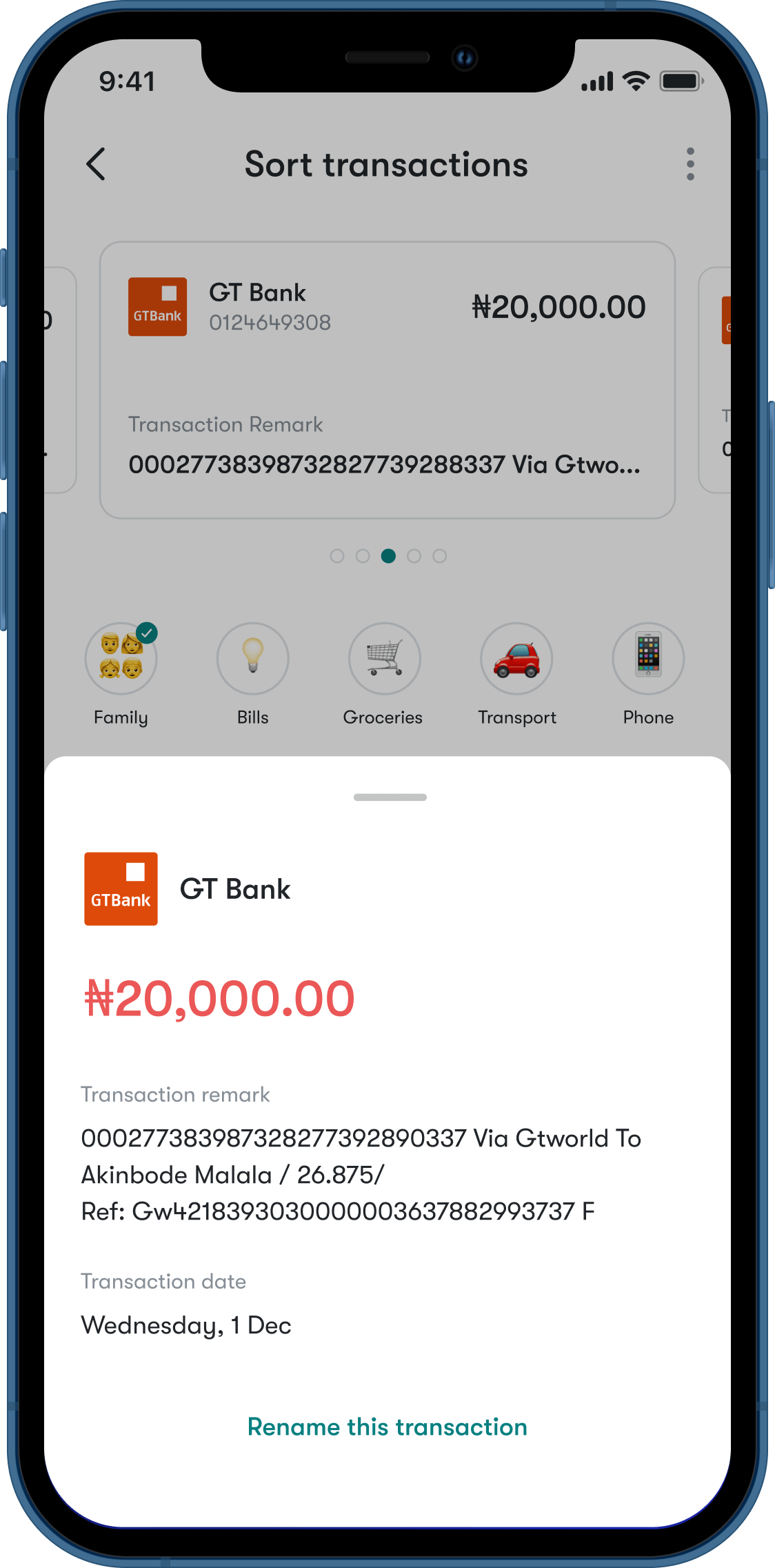
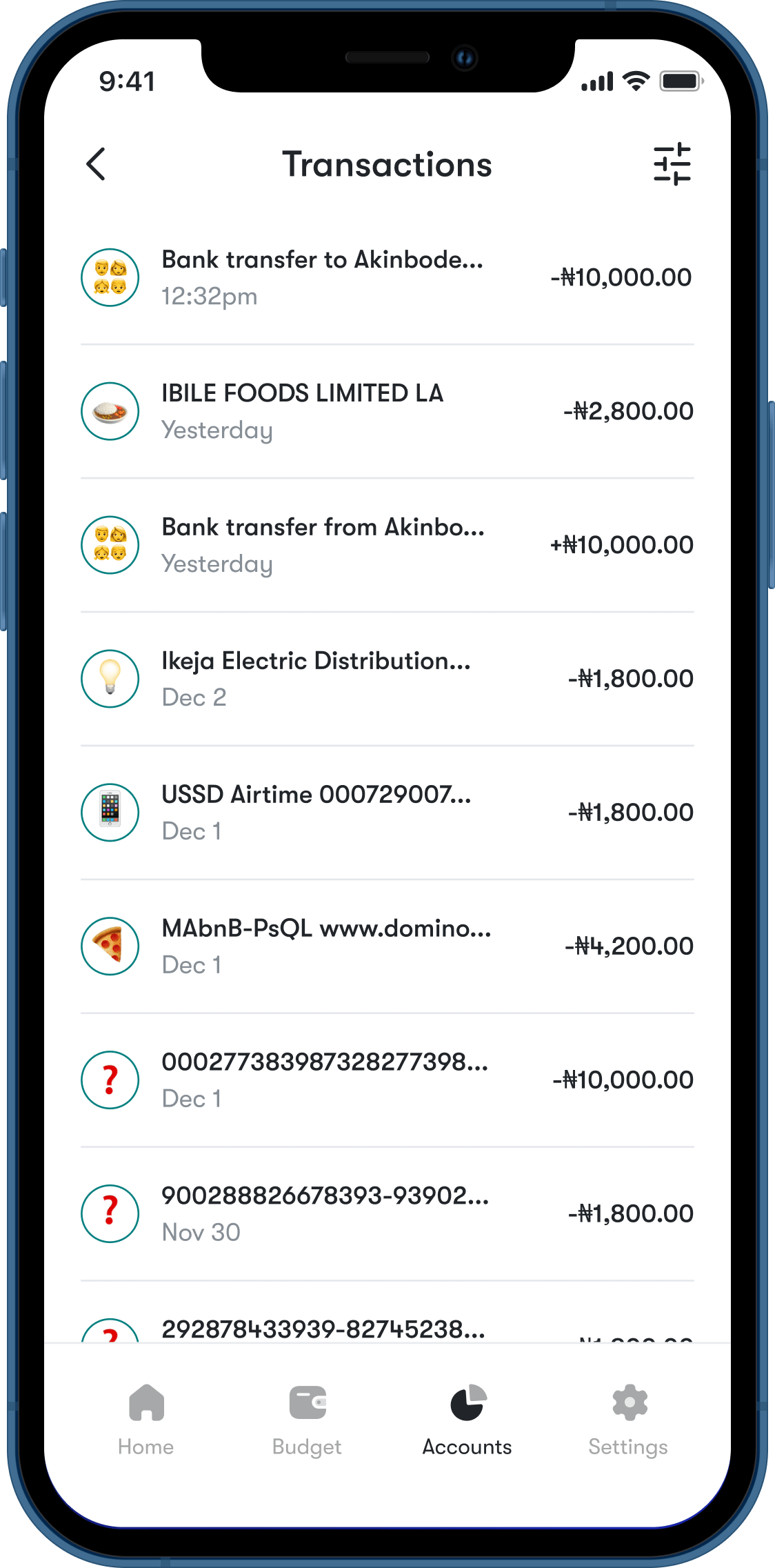
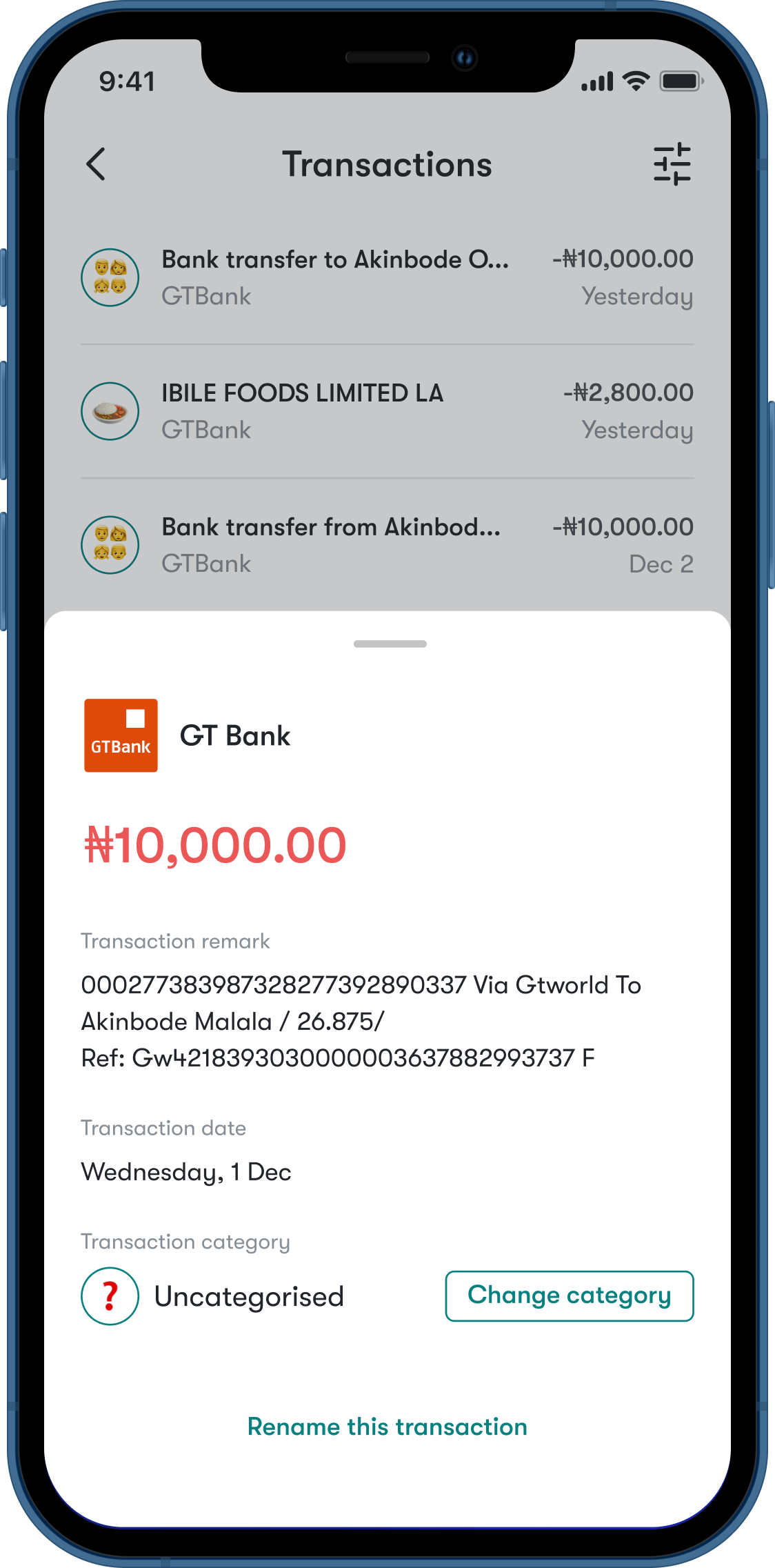
Sort transactions
Users can sort their transactions into categories. There are three levels of sorting:
Algorithm: We train the algorithm to put transactions in categories based on the keywords like “restaurant”, “Uber” etc. This is the first level of sorting.
Previous categorisation: Whenever we see a similar transaction from one you’ve previously had, we’ll sort it into the category you had before. Here, we assume that if you sent money to someone before and you categorised the transaction as “family”, the next time you send money to them, we assume it’s in the same category.
Manual categorisation: Using the algorithm or previous categorisation is limited because similar transactions do not always mean the same category. Here, the user can override the first two levels of sorting.
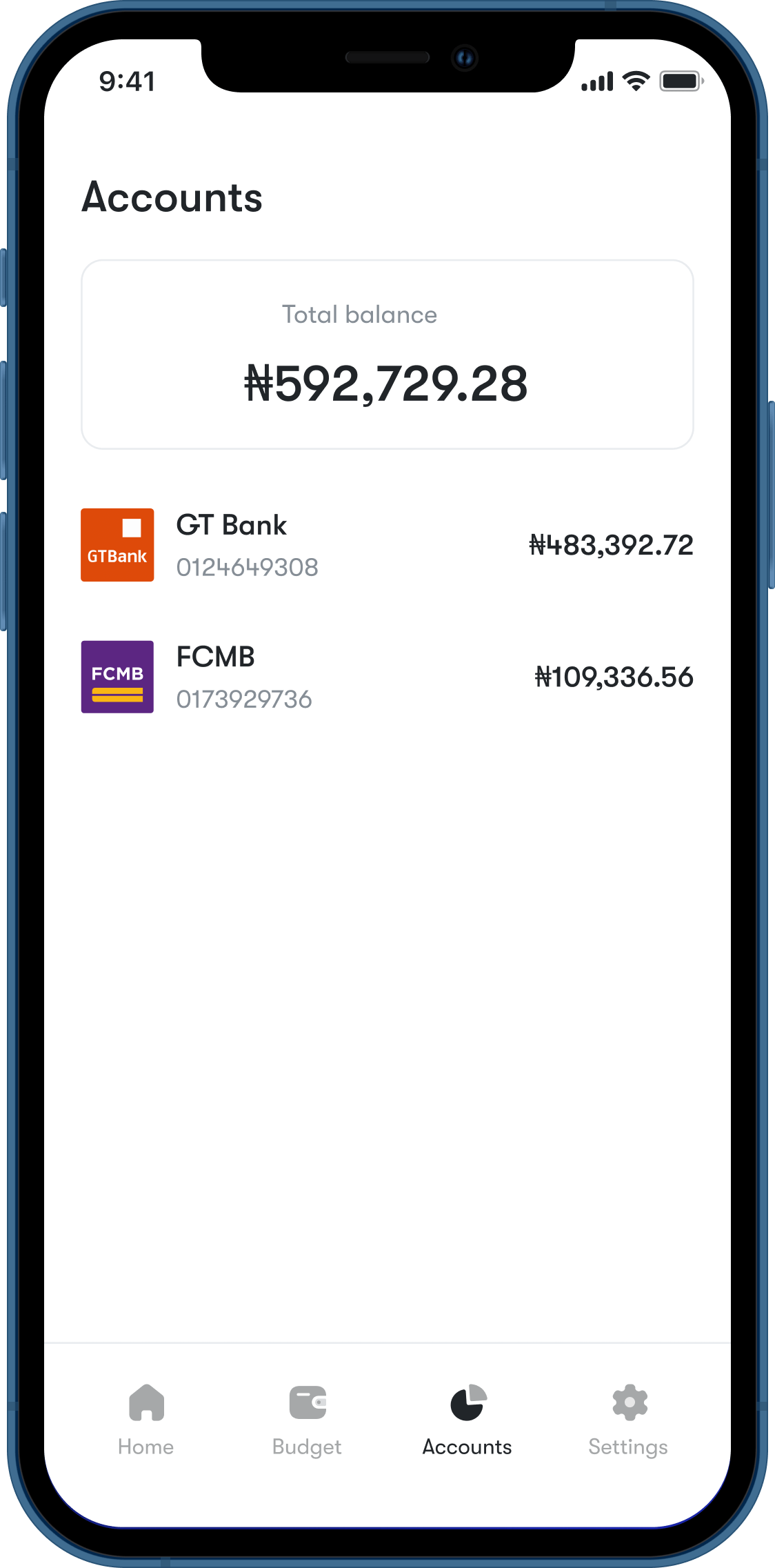
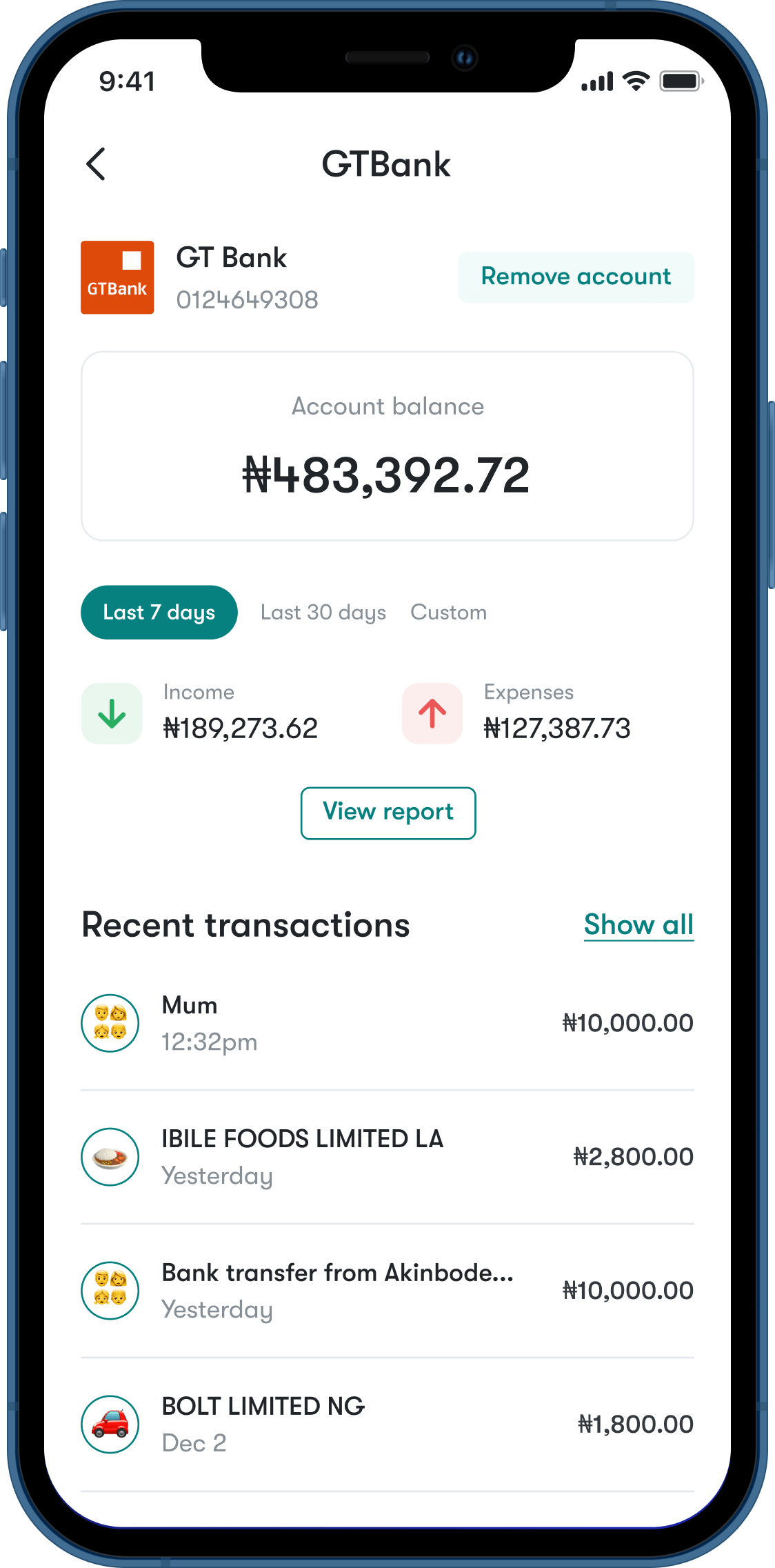
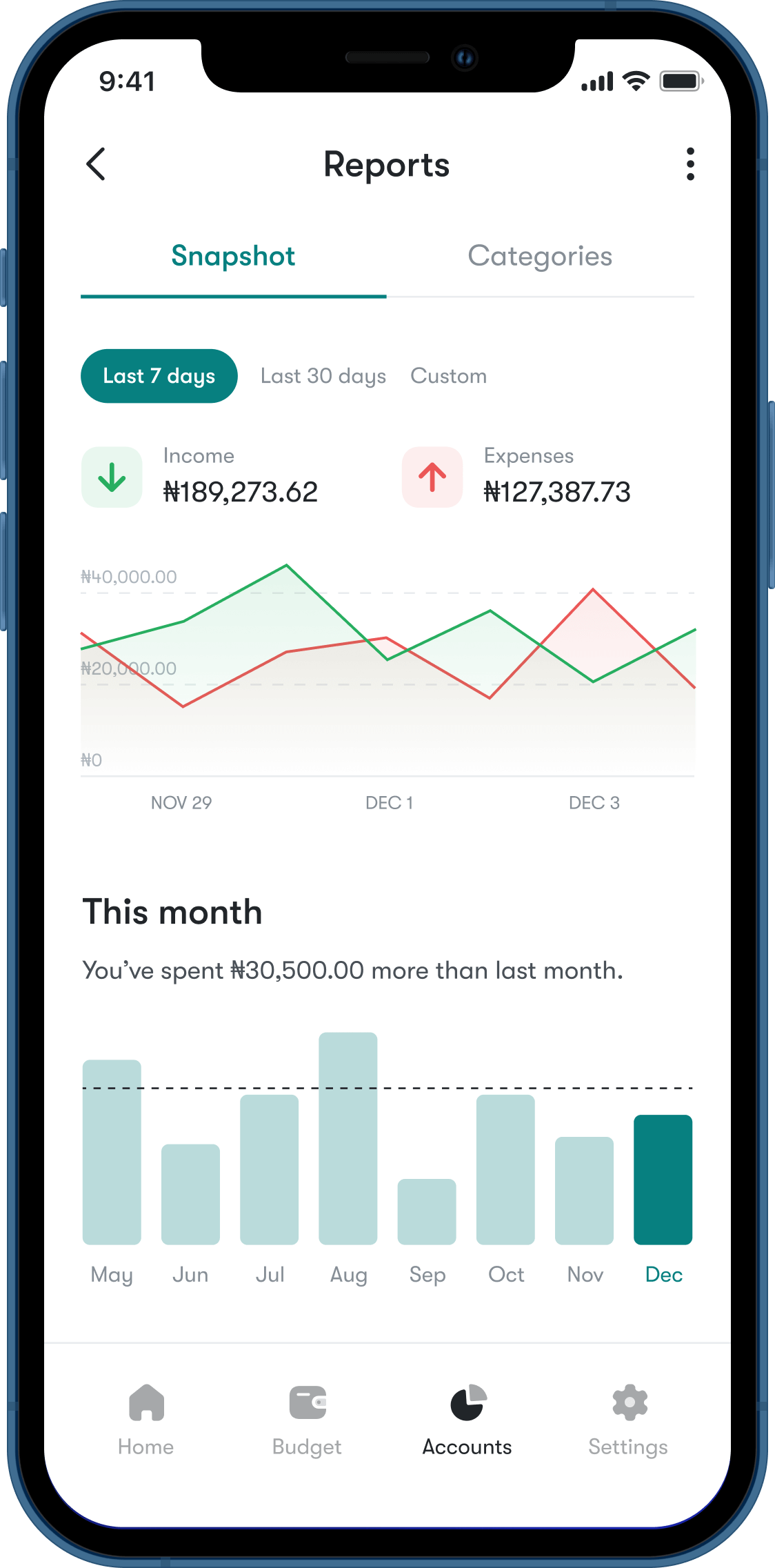
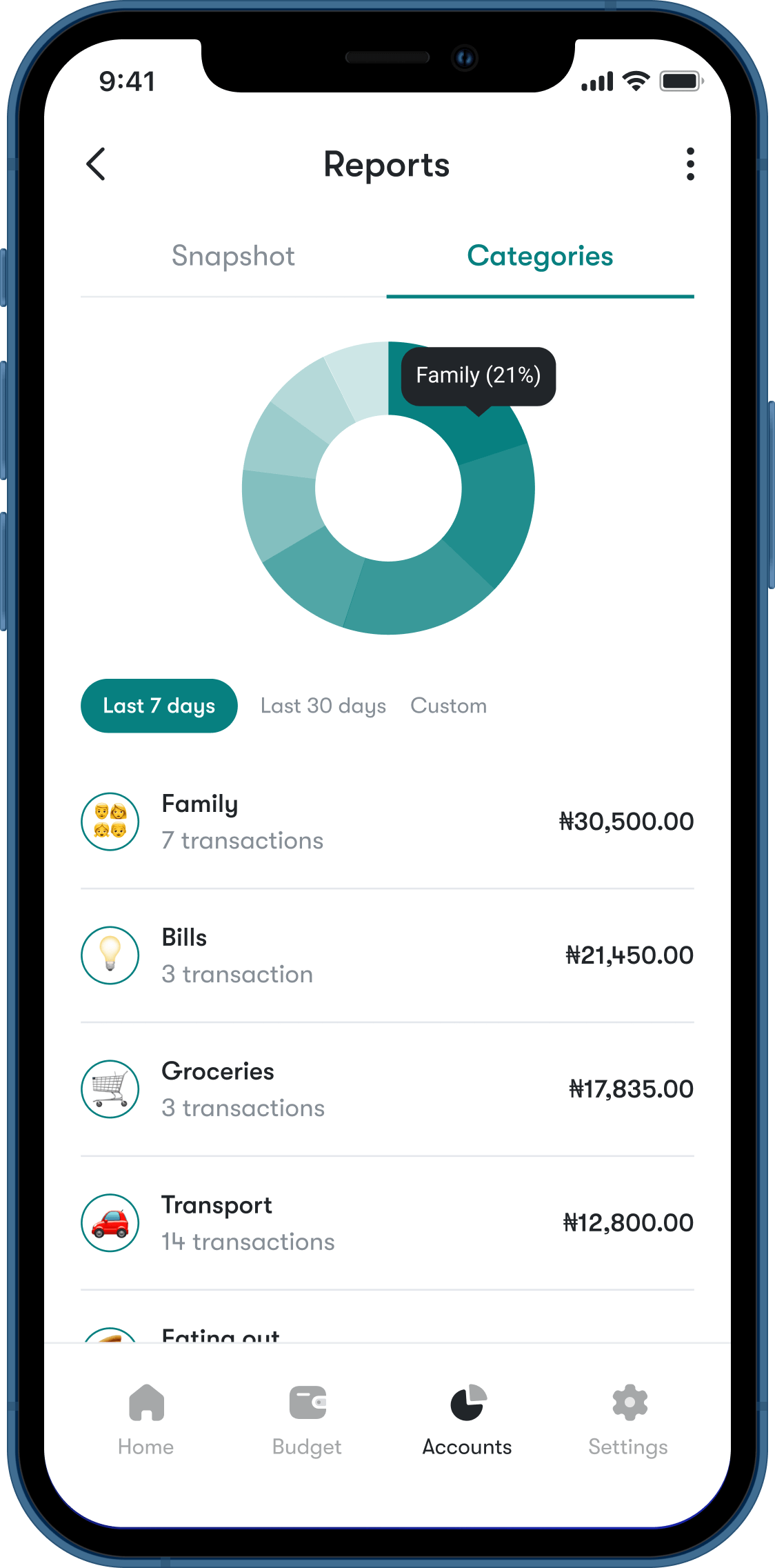
Accounts and reports
Here, users can gain more insight into their financial activity over periods of time. Users can also get a historical overview of their budget performance.
Conclusion
I enjoyed working on this project. Since budgeting is a problem I face myself, it was interesting to attempt to solve it in a way that would be useful to me as a user. Already, I have ideas for an update. For example, to refine the “vibes” feature, we would have users take a short quiz to determine their spending profile.
Next project
Fostering Our Future
2023
Designing a non-profit, web platform for supporting foster families